Open Use AI and you have seventeen chat models to choose from. Suppose you want to turn a set of meeting notes into a short email. Does that job need Claude Opus, or can the default model handle it? On Use AI the answer matters even if you’re already paying. One choice spends part of your premium allowance. The other leaves it intact.
This review draws on a November 21, 2026 walkthrough of a Max account. The walkthrough covered the menus, settings and plan options. The model names and usage estimates below are Use AI’s. The review did not include head-to-head quality tests.
Quick questions and everyday writing
Open a new chat and you’ll land on Use AI Instant. That’s where I’d start with the meeting notes. Give it the notes, tell it who the email is for and ask for the decisions and next steps in two paragraphs. On Pro and Max, Instant messaging is unlimited subject to fair use. Free users get the same model with a variable limit. Use AI doesn’t publish a message count for Free.
For a longer piece, paid subscribers can switch models halfway through the conversation. You might ask Instant for an outline, write the first paragraph yourself and then ask Claude Sonnet 5.5 to carry that voice through the draft. The writing controls are easy to overlook. Pick Short, Medium or Long for response length. Put a recurring instruction such as “keep quotations verbatim” in the standing instructions box. Use the separate memory field for details you’d otherwise type again in every chat.
The premium menu includes Claude Opus 5.5, GPT-6.2 Sol, Grok 4.7, Qwen 3.8 Max and Muse Wonder. Their names tell you little about which will edit your copy well. The usage estimates for each model give you a practical starting point. On Pro, Use AI estimates roughly 31 Opus messages per day, 63 with Sonnet or GPT-6.2 Sol, and 1,111 with GLM 5.3 Flash. Those figures describe alternative ways to spend the same allowance. A long chat with a file attached can use it up sooner.
Use the + menu to attach your source material. When the copy is ready, paid plans can turn it into a document, PDF, slide deck or spreadsheet.
Web search or Deep Research?
For a single current fact, start with web search. If you’re checking when a game launches, one dated announcement from the publisher may settle it. Open the source and check the platform and region. Free accounts have limited web search. Both paid plans include it.
Deep Research, also in the + menu, makes more sense when the answer has several parts. Comparing a game’s original release with its subsequent ports, for instance, might take you through old announcements, storefront listings and patch notes. Use AI’s plan comparison lists up to 200 sources per report on Pro and up to 1,000 on Max. That’s a ceiling. For a disputed date, the citation beside the claim matters more than the length of the bibliography.
Which image generator should you try first?
The Images tab has seven choices. Krea 2 Medium Turbo makes sense for rough layouts because Pro’s estimated allowance stretches to about 44 standard images a day on that model. With Nano Banana 2.1 the estimate is 18. GPT Image 2.5 Sunburst and GPT Image 2.5 Flare each come in at about 14. Those figures assume images around 1,024 pixels. Higher quality costs more of the allowance.
The other choices are FLUX.2 Pro, MAI Image 2.6 and Krea 2 Medium. Pick your aspect ratio before spending several attempts on a composition. A subject that fills a square can leave very little space for a headline once cropped for a banner. Use AI offers formats up to 21:9 and seven presets, including Realistic, 3D Render, Anime and Abstract. You can also upload an existing picture for editing. If the picture already has the composition you need and just needs enlargement, CriticalHit’s comparison of online photo enhancers covers that job separately.
Connecting apps and keeping work together
The Apps page lists more than 100 services that paid plans can connect to a chat, sorted into categories such as communication, productivity, developer, marketing, sales, support, finance and automation. Gmail, Slack, Google Drive, Jira, GitHub, Dropbox and PayPal are among the options. Open the + menu and select Add apps. The directory doesn’t spell out every action each connection supports. Check the permissions shown when linking your account and try the particular task you have in mind before building a workflow around it.
Pro and Max also include projects and knowledge bases. The Max sidebar had an Add project button, but the walkthrough didn’t test a knowledge base or establish its capacity. The Library keeps files together and has a limited free tier. For something as small as a preferred spelling or date format, the memory field saves setting up a project.
Where Use AI falls short
The menus offer plenty of choice and little help making it. Calling a model a maker’s flagship doesn’t tell you whether it will preserve the quotations in a 900-word edit. Before committing to a plan, take a paragraph you know well, give two available models the same editing instruction and see which changes you’d keep.
There’s also a difference between buying access to a model through Use AI and subscribing to its maker’s own app. Use AI is a third-party service. Check for the specific feature you need. Claude Fable 5.2 and GPT-6.2 Astra, for example, sit behind the Max tier here. Free, Pro and Max also offer different levels of reasoning effort.
Verdict
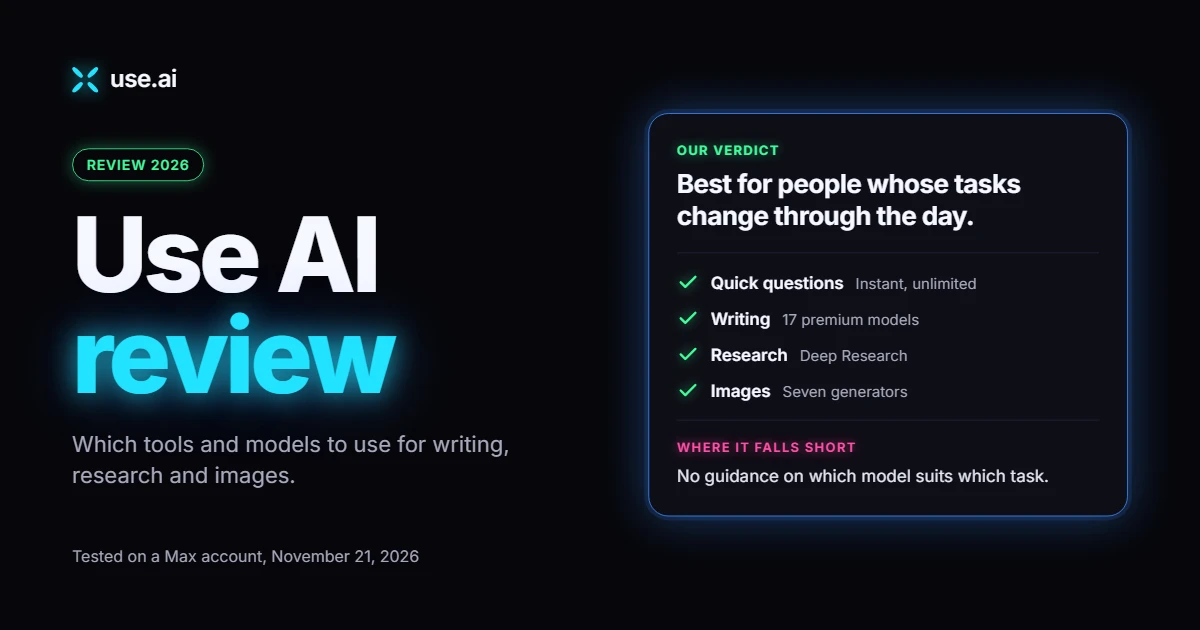
Use AI earns its place when your work changes over the course of a day. You can finish a quick email in Instant, switch to a premium model for a demanding edit and make a header image without opening another service. The cost of this flexibility is learning what each option means for your premium allowance.
The November 21 walkthrough recorded Pro at $29.99 on monthly billing, or the equivalent of $17.99 a month on six-month billing. Max ranged from $103.99 to $129.99 per month. Prices can vary by country and promotion. For a writer choosing between plans, I’d start with the daily estimate for the model you expect to use most. If 63 short exchanges on Sonnet sound comfortable, Pro already includes the research tools and image generators. Max is easier to justify when you regularly exhaust that allowance or need one of its exclusive models.
Last Updated: November 24, 2026