
Yes, driver-assist technologies and head-up displays (HUDs) can reduce distraction, but only if they are configured to minimize the massive cognitive load of modern in-vehicle interfaces across the 75 million new cars hitting the roads worldwide each year. Many drivers assume that projecting speedometers onto the windshield or trusting lane-keep assist automatically makes them safer behind the wheel. The reality is more complicated, resembling a high-stakes video game in which too many on-screen alerts can actually slow your physical reaction time.
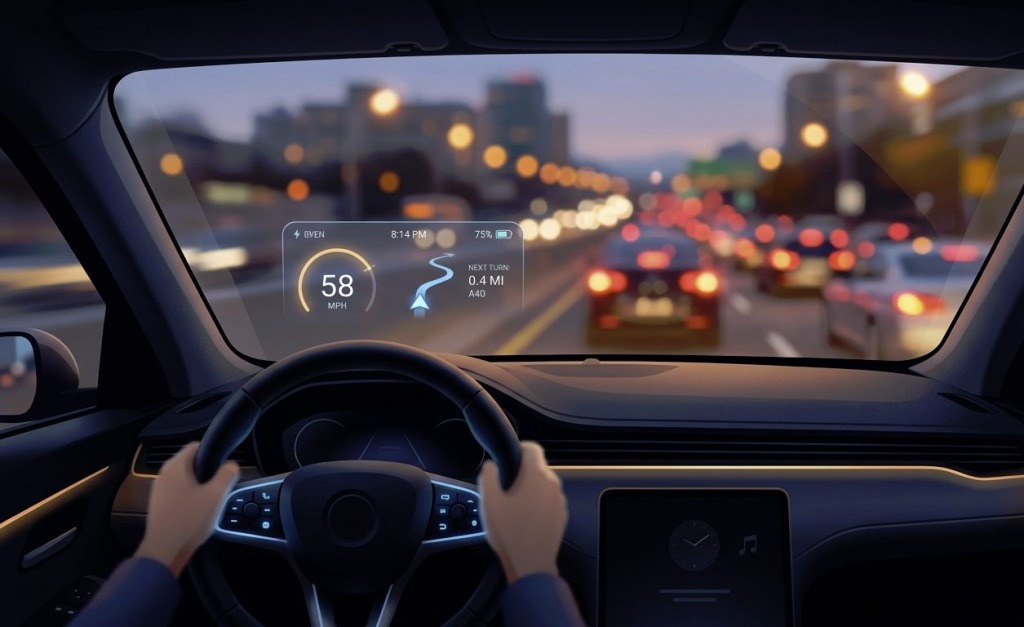
Image Source: Google Gemini
The Gamification of Your Windshield
Modern automotive cockpits increasingly look like PC gaming setups, swapping simple analog dials for massive touchscreens and vivid windshield overlays. HUDs are designed to keep your eyes on the road, but flashing too much data in your direct line of sight can trigger cognitive overload.
When your windshield displays speed, navigation arrows, speed limit signs, and active safety warnings all at once, your brain struggles to prioritize the incoming information. Research shows that complex HUD layouts increase mental burden and can delay braking responses when an actual hazard appears. Instead of helping you focus, a cluttered display forces your brain to constantly filter out visual noise while you try to watch the actual road.
Advanced Driver Assistance Systems (ADAS) present a similar double-edged sword. Features like lane-centering and adaptive cruise control are excellent at reducing physical fatigue during long road trips. However, they frequently lull drivers into passive disengagement, making it much harder to react quickly when the system suddenly hands control back to the human driver.
Even minor distractions can lead to devastating wrecks on fast-moving commuter routes in many major metros, meaning expert legal advice from local specialists must be sought. If you find yourself in a collision caused by a tech failure or another driver’s distraction on a busy highway in Atlanta, contacting auto accident attorneys can help you navigate the legal aftermath, for example. It’s a rule of thumb to follow wherever you’re located.
Finding the Sweet Spot in Your Settings
You do not have to turn off all your vehicle’s safety tech to stay safe, but you should actively manage how these systems interact with you. Taking five minutes in your driveway to adjust your vehicle’s user interface can dramatically lower your daily distraction levels.
To create a safer driving environment, consider adjusting these specific dashboard settings before putting the car in drive:
- Turn off non-essential HUD alerts like song titles or incoming text notifications
- Set your lane-departure warnings to steering wheel vibrations instead of loud, jarring audio beeps
- Lower the overall brightness of your digital displays to reduce night-time eye strain
Limiting these active alerts keeps you in control of your visual field. It is crucial to remember that these convenience features do not make a vehicle fully autonomous. Even the latest cars are still limited in many ways.
Taming the Screen Before You Drive
The absolute worst time to look for a specific menu setting is while traveling at highway speeds. A recent driver safety study by the AAA Foundation for Traffic Safety found that complex infotainment menus can divert eyes from the road for up to 40 seconds. That is long enough to travel several football fields completely blind.
Treat your car’s digital interface like a smartphone. Set your navigation destination, choose your playlist, and adjust your climate control before you shift out of park. If you must adjust a setting on the move, wait for a red light or pull over into a safe parking lot.
Developing these pre-drive habits keeps your focus entirely on the physical environment around you. For more posts on a range of topics, from gaming to road safety and beyond, stay right here on our site.
Last Updated: July 16, 2026