
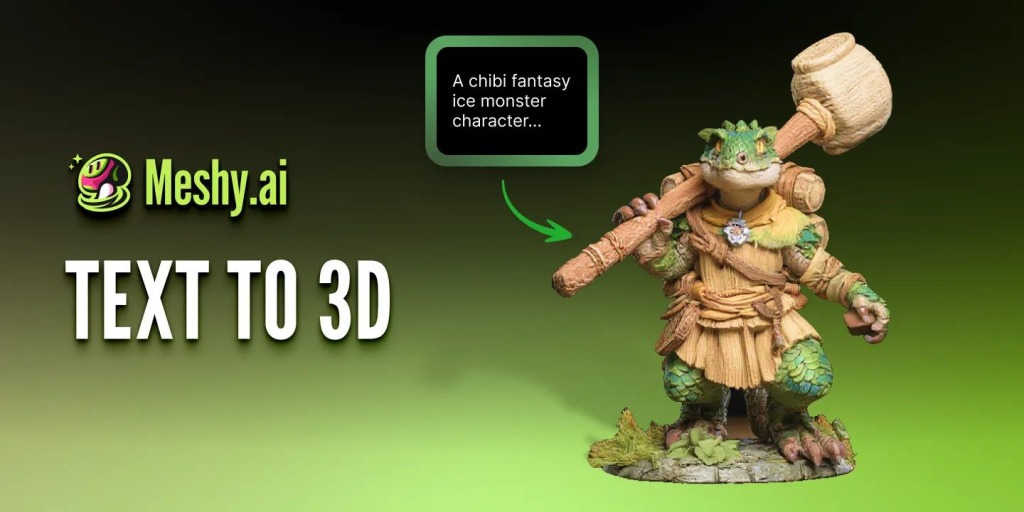
An AI 3D generator turns a text prompt or reference image into a textured mesh in about a minute, and Meshy AI is currently the platform most indie teams reach for first. It’s good for testing shapes fast. It’s not yet good enough to skip a human artist on anything players will stare at in proximity.
Why Does 3D Prototyping Slow Down Indie Teams?
Nobody on a two-person team lacks modeling skill. What they lack is time. Blocking out one prop in Blender can take two to four hours. A character with usable topology can eat a full day, and that’s before texturing.
So bad ideas survive too long. It takes a day for someone to discover a weapon design that reads incorrectly in-engine. The real cost is not the modeling; it is the lag between idea and judgment.
I’ve watched teams greenlight a character design off a 2D sketch, only to realize in 3D, the proportions don’t read at all from the gameplay camera distance. By then, the art budget for that character is already half spent.
What Does an AI 3D Generator Actually Generate?
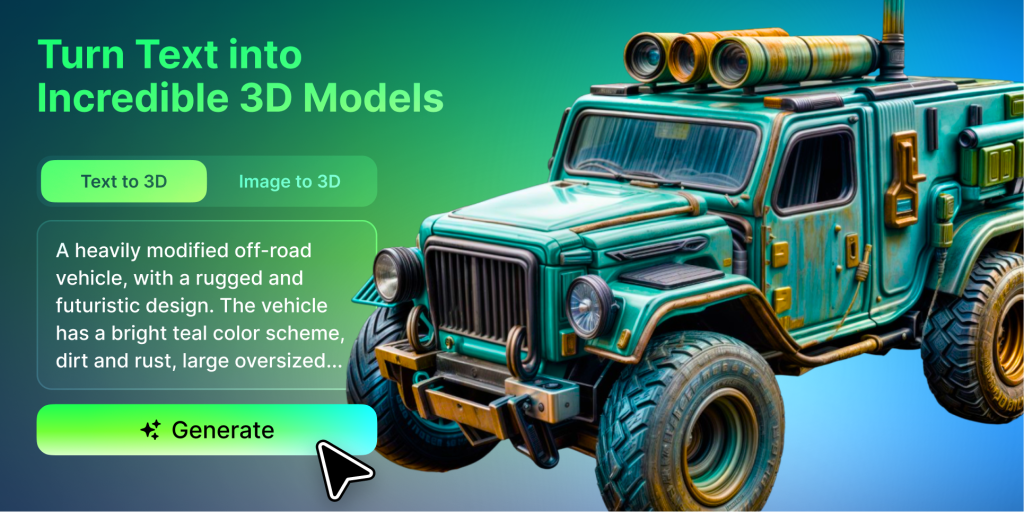
Two input modes, two different jobs. Text-to-3D builds geometry straight from a written description: fast, loose, good for early ideation. Image-to-3D reconstructs a model from a reference photo or concept sketch, which gives you more control because the system has real visual data instead of guessing from words.
Meshy AI runs both through the same pipeline: a geometry stage, then a separate texturing stage with PBR materials baked in. That split matters. You can iterate cheaply on shape, then pay for texture only once you’ve locked it.
How Does Meshy AI Fit Into a Real Pipeline?
Meshy AI launched in 2023 and now reports over 10 million users and 100 million-plus models generated as of GDC 2026. The current model, Meshy-6, shipped on January 18, 2026.
Here’s the actual jump: Meshy-5 routinely spat out non-manifold meshes that needed manual repair before anything would import cleanly. Meshy-6 ships watertight by default, with sharper hard-surface edges and a low-poly mode built for real-time engines instead of renders.
A blind quality test backs this up. In a 2026 benchmark, 1,331 senior 3D artists from NetEase and Tencent picked Meshy-6 over Tripo 3.1 in 63.8% of head-to-head comparisons. Those numbers came from working studio artists, not from Meshy’s own marketing team.
Which Workflow Steps Actually Save Time?
This is the sequence that works:
- Write a single-subject prompt. No plural nouns: “soldiers” tends to generate duplicated heads.
- Feed multi-view reference images (front, side, and back) when proportions matter most.
- Generate a cheap preview before spending credits on a full texture pass.
- Check the built-in viewer for watertight geometry before you export anything.
- Round-trip through Blender to confirm PBR maps land on the right shader channels.
Skip the cheap-preview step, and you’ll burn credits on shapes you were going to reject anyway.
Why Do AI-Generated Characters Get Extra Fingers?
Hands and faces are the most detail-dense regions in any 3D diffusion model, and they’re still the weak point across every platform in this category, not just Meshy AI. The fix isn’t waiting for a better model version. It’s running a dedicated texture or retouch pass on the face or hands after the base generation lands.
Does Multi-View Actually Fix Proportions?
Yes, more than any other setting. Single-image generation has to guess at unseen angles. Feed it real front, side, and back references instead, and the guesswork mostly disappears, says Scenario.
Should You Trust Auto-Rigging on Stylized Characters?
Not blindly. Auto-rig is tuned for roughly human proportions. Chunky cartoon characters or anything stylized will frequently need manual rig correction afterward.
Can You Export These Models Into Unity or Unreal?
Meshy AI exports to GLB, FBX, OBJ, STL, USDZ, and native .blend. FBX is what Unity and Unreal expect. GLB is Godot’s native format.
One reviewer testing the full pipeline in 2026 went from a blank text prompt to a fully textured, rigged, and animated character running inside Unreal Engine in under five minutes. That’s the prototyping use case working exactly as advertised for a background character. It says nothing about whether the same speed holds up on a hero asset carrying your marketing trailer.
Meshy AI vs. Tripo: Which One Actually Wins?
Depends what you’re optimizing for.
| Factor | Meshy AI | Tripo 3.1 |
| Blind quality preference (NetEase/Tencent, 2026) | 63.8% | 36.2% |
| Animation presets | 500+ with auto-rig | Limited |
| Generation speed | Standard | Faster |
| Best for | Pipeline completeness | Volume, raw speed |
If you need rigged, animated output without leaving the platform, Meshy AI wins. If you just need fast shape iteration and you’ll rig elsewhere, Tripo’s speed edge is real.
Where Do Generated Models Still Need a Human Artist?
AI generation is strong at block-outs, background props, and environment set-dressing: anything where speed beats precision. It’s not strong at hero characters, close-up facial work, or complex, rigged animation that has to match an established art direction exactly.
The honest line, from most reviewers who have tested production pipelines firsthand, is this is a block-out and ideation layer. Final polish on anything player-facing still goes through Blender and a real artist.
What Does Meshy AI Cost for an Indie Budget?
Meshy AI gives you 100 free credits a month, but the output is CC BY 4.0: public, attribution required. Not what you want for a commercial release.
Pro runs $20/month for 1,000 credits, full commercial ownership, and API access. At 20 credits per full generation, that’s roughly 50 finished assets a month, closer to one freelance prop commission’s price than a 3D artist’s monthly rate.
Max jumps to $60/month for 4,000 credits and top queue priority, which only makes sense once your team is generating daily rather than weekly. Most solo devs and two-person studios never need to go past Pro.
5 Things Most Guides Skip About AI 3D Tools
What most guides leave out:
- Failed generations still cost credits on nearly every platform, Meshy included.
- Free-tier assets are public domain-adjacent: fine for testing, wrong for shipping.
- Texturing and geometry are billed separately, so you can iterate on shape cheaply.
- Multi-view input matters more than prompt wording for proportion accuracy.
- CSM was acquired by Google in January 2026, and its non-Google roadmap is now genuinely uncertain.
Key Takeaways
- Meshy-6’s watertight-by-default output ended the manual mesh-repair step that Meshy-5 forced on every user.
- A $20/month Pro plan covers roughly 50 finished assets, cheaper than one freelance commission.
- The 63.8% blind-vote win over Tripo came from working studio artists, not Meshy’s own marketing.
FAQs
Can I sell a game using Meshy-generated assets?
Yes, on a paid plan. Meshy’s Pro and higher tiers grant full commercial ownership. Free-tier output is CC BY 4.0, which requires public attribution, risky for proprietary commercial IP.
Does Meshy AI replace a 3D artist on an indie team?
No. It replaces the early block-out phase. Hero characters, close-up facial detail, and complex rigged animation still need manual artist refinement before shipping.
What file formats does Meshy export for game engines?
GLB, FBX, OBJ, STL, USDZ, and .blend. FBX imports into Unity and Unreal Engine. GLB is the standard format for Godot.
Why do AI-generated hands and faces look wrong?
They’re the most detail-dense regions for any 3D diffusion model in 2026, across every major platform. Run a dedicated texture or retouch pass on those areas after the base generation.
Is Meshy AI better than Tripo for game props?
For pipeline completeness and animation tooling, yes. Meshy won 63.8% of a 2026 blind test against Tripo 3.1 among NetEase and Tencent artists. Tripo still edges it on raw generation speed.
Last Updated: June 29, 2026