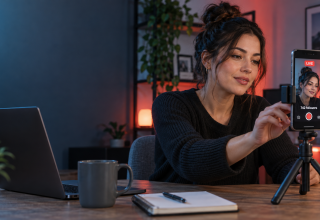
TikTok LIVE gives a creator a chance to be in the room with their audience in a way that an edited clip cannot. Viewers can ask something and get an answer there and then. A good broadcast may also put an account in front of people who have never seen it before. The difficulty for smaller accounts is getting access in the first place.
Most people know the 1,000-follower figure. It is commonly treated as the standard for LIVE, although TikTok describes the rule as a local minimum follower threshold. In other words, it can vary by region. Reaching a number does not grant automatic access either. Age, location and account standing still matter.
The short answer
There is not an app, desktop trick or one-size-fits-all method for skipping TikTok’s LIVE rules. Some accounts are admitted through a TikTok Shop initiative, an agency programme or another official trial. Those opportunities depend on the account and the region; they are not loopholes that anybody can repeat.
If LIVE is absent from the creation screen, check whether the account actually qualifies. Report a genuine access problem to TikTok, look at any programmes offered inside the account and keep building a real audience. Do not pay somebody who claims they can switch the feature on.
Why similar accounts can see different options
TikTok uses more than a follower count when deciding whether an account can broadcast.
- Age: a host generally needs to be at least 18. The rules displayed in the account should always be checked.
- Location: LIVE and its related features are not available in every place.
- Account standing: an active restriction or earlier enforcement action can affect access.
- Regional requirements: the minimum applied in one market may not match another.
- Feature testing: TikTok sometimes releases a tool to selected accounts before everybody receives it.
This is why two accounts with very similar totals may not have the same buttons. It is also why reaching 1,000 followers should not be treated as a cast-iron promise.
Open TikTok and tap the create button. Move through the available recording modes. If LIVE appears, the account has permission. If it does not, make sure the app is current, check the account-status area and confirm that the date of birth is correct.
Do not keep changing account details in the hope of forcing a different answer. In particular, a false date of birth can create a much larger problem if TikTok later asks for identity documents.
When to ask TikTok Support
Support can help when an account seems to have all the necessary qualifications but LIVE is still missing. Go to Settings and privacy, choose Report a problem, and find the LIVE section or the option for further feedback.
Describe what is wrong in plain English. Give the username, phone model and app version, and attach a screenshot of the creation screen. If there is an event or a genuine business reason behind the request, it is fine to mention it. It should not be presented as a guaranteed route to early access.
TikTok does not publish a success rate for these reports, nor does it promise a three-to-seven-day reply. Support is best regarded as a way of diagnosing an account problem. It is not a workaround for an account that plainly does not qualify.
LIVE Studio does not remove the requirement
TikTok LIVE Studio is software for broadcasting from a computer. It adds useful production features such as screen sharing, camera support and gameplay capture. It does not supply the permission to broadcast.
Downloading LIVE Studio therefore will not unlock LIVE on its own. A user might receive an invitation through a gaming, agency or other TikTok programme, but that is a separate matter. An invite shown inside TikTok or sent by a verifiable partner is different from a stranger offering to sell access.
Never give such a person the account password or a one-time login code.
TikTok Shop and business accounts
Businesses and genuine TikTok Shop sellers may see LIVE Shopping tools during onboarding or through a campaign available in their market. The conditions can change with the seller type, programme and location.
Merely changing a personal profile into a business profile will not grant LIVE. A real shop should finish TikTok’s seller-verification process and use the tools shown in Seller Center. Setting up a token catalogue simply to obtain broadcasting access can create compliance trouble and will not build a useful audience.
Creator and brand programmes work in a similar way. TikTok sometimes invites selected people into a campaign, training scheme or managed programme. Access given through an invitation can be legitimate, but it may be limited or temporary. The safest places to look are notices inside TikTok, official creator resources and a known brand contact.
Building an eligible audience
For most users, steady audience growth remains the practical route. There is no set timeline. One account might reach the relevant point after several strong clips; another may need months.
A 30-day plan is more valuable than hunting for a secret switch:
- Choose one recognisable subject. A new visitor should quickly understand why the account might be worth following.
- Post regularly without flooding the feed. Pick a pace that leaves enough time to make each clip useful.
- Study retention as well as likes. Watch time, completion rate, rewatches, shares and comments show where people actually paid attention.
- Return to a successful format. A follow-up to a good topic is usually stronger than a copy of the same clip.
- Talk to viewers. Useful comments and repeated questions can become the next batch of videos.
- Be selective with trends. A popular sound helps when it suits the subject. Otherwise it tends to look bolted on.
Some creators consider third-party growth services, including Famety to increase your TikTok follower count. Before paying, read TikTok’s current rules and find out how the provider obtains followers. Artificial or low-quality accounts can disappear later, hurt engagement and still do nothing for LIVE eligibility. A larger total is not a substitute for people who genuinely want to watch.
Plan the first broadcast now
There is no need to wait for the LIVE button before preparing. Decide what the first session will offer, sketch out its opening few minutes and collect questions from existing comments.
The format does not need to be elaborate. It could be:
- a focused question-and-answer session;
- a hands-on demonstration;
- a look behind the scenes of a project;
- an explanation of one product; or
- an interview with a relevant guest.
Once scheduling is available, mention the session ahead of time. Welcome people as they arrive, remind latecomers what the broadcast is about and keep private information out of the camera frame. A moderator can help with comments if that option is available.
There is no official TikTok rule stating that every LIVE must last at least 30 minutes. Continue while the subject is useful and the host is engaged. An empty hour is not automatically better than a focused 20-minute session.
Mistakes that cause more trouble
- Paying for a promised “unlock”. No outside vendor can guarantee that TikTok will enable LIVE.
- Giving TikTok a false age. It can lead to identity and account-access problems.
- Sharing login details. A supposed agent asking for a password or verification code may be trying to take the account.
- Assuming that 1,000 followers is the only consideration. Region, age, account standing and programme eligibility can also matter.
- Starting with nothing to discuss. Access is valuable only when viewers have a reason to remain.
Frequently asked questions
Can I go LIVE below 1,000 followers?
Some accounts receive permission through regional rules, a platform test or an approved programme. There is no universal method that automatically grants early access.
Will TikTok Support enable LIVE?
Support may investigate why an otherwise eligible account is missing the feature. A report does not guarantee an exception.
Does LIVE Studio bypass eligibility?
No. It is a desktop broadcasting tool for accounts that already have permission to use LIVE.
Will buying followers enable LIVE?
The displayed follower count does not guarantee eligibility. Artificial activity may be removed and can leave the account with weak engagement.
Can access disappear after it is granted?
Yes. An account restriction, age or identity review, regional change or the end of a programme can affect access. TikTok does not publicly say that every account automatically loses LIVE the moment its follower count drops below one universal number.
Final takeaway
The safest answer is less exciting than the loopholes discussed online: there is no reliable method for forcing TikTok LIVE onto an ineligible account. Check the account, use Support for a real error, consider only programmes actually offered through TikTok and build an audience that will still care when LIVE finally appears.
Last Updated: September 22, 2026
Last Updated: September 22, 2026