A primary gaming platform can mean more than the console under the TV. A player’s usual setup may include an account, a library of games, a subscription and several screens they switch between. Hardware still makes a difference to performance and comfort. But the service you return to also matters, especially when it lets you carry on playing away from your main device. It makes sense to judge that combination against your daily routine.
Monthly Xbox Game Pass cost varies with the plan, retail pricing and marketplace offers. When comparing a Game Pass Core subscription, bear in mind that the entry-level plan is now called Game Pass Essential. It includes cloud gaming for supported titles, online console multiplayer and a curated game catalog. Check the current benefits, any cloud-play limits and the code’s redemption terms before buying. Eneba’s listings show regional compatibility information. Match the activation region to your account and location, then look at the seller details, total checkout price and delivery terms. A lower advertised price is only useful if the code works for your setup.
The platform is the access ecosystem
Xbox’s next-generation plans span consoles, handhelds, PC, cloud and accessories. That makes “platform” a broader term than a living-room console. Your account and compatible services sit at the center, with each device providing another way to play. For supported digital games, Xbox Play Anywhere carries progress and achievements between Xbox consoles, PCs and compatible Windows handhelds, including the ROG Xbox Ally. Check that a particular game supports it before assuming your save will follow you.
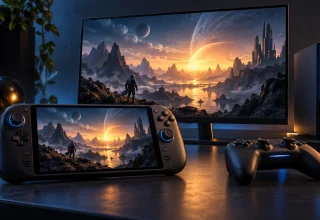
Handheld PCs also show why the hardware still matters. The ROG Xbox Ally and ROG Xbox Ally X can run games locally, stream eligible titles from the cloud or use Remote Play with an Xbox console. Those are three different arrangements. Local play runs the game on the handheld itself. Remote Play uses your console as the source, while cloud gaming runs through supported online services. They give you several routes into a library, but the experience and requirements differ.
Access layers have clear boundaries
Cloud streaming replacing consoles is still a prediction. Streaming can save you a large download and free up local storage, but its quality depends on your connection, device, region and the games available. Xbox lists 10 Mbps for mobile devices and 20 Mbps for consoles, PCs and tablets for best performance. Reaching those speeds does not guarantee a stable stream. PlayStation lists 5 Mbps upload and download as the minimum to establish a PS5 cloud-streaming session, with higher speeds recommended for higher resolutions.
Premium subscriptions also make the distinction between access and ownership clear. PlayStation Plus Premium lets members stream select PS5 games to PS5 consoles and PlayStation Portal. That includes catalog titles and select digital PS5 games in a player’s own library. It adds another way to use the existing PlayStation service; it does not make every game you own streamable. Availability varies by title, plan, platform, country and time.
A useful way to define your main platform is to ask where you can reliably play the games you want. Consoles, PCs, handhelds, phones, TVs and supported VR headsets can all provide a way in. Your account, purchases and subscriptions determine what you can actually access on each one. Eneba is one place to compare digital access products, with the same compatibility checks applying whichever listing you choose. Judge the hardware by how well it fits that wider setup, including the services you use and the places where you play.
Last Updated: September 23, 2026