The Modern Warfare 4 (MW4) PC edition releases on October 23, 2026. Ahead of the MW4 launch, many PC players searching online for third-party cheats have seen the same few terms: “aimbot”, “ESP”, “radar”, “visual tools” and “recoil control”.
All of these refer to third-party cheat functionality, and not to any official settings within the game. Many times when browsing a sale site, all of the above terms seem interchangeable. Understanding what each setting is intended to accomplish makes assessing claims easier. This is especially true since the retail version of MW4 is currently untested by the cheating software vendor.
Aimbot controls
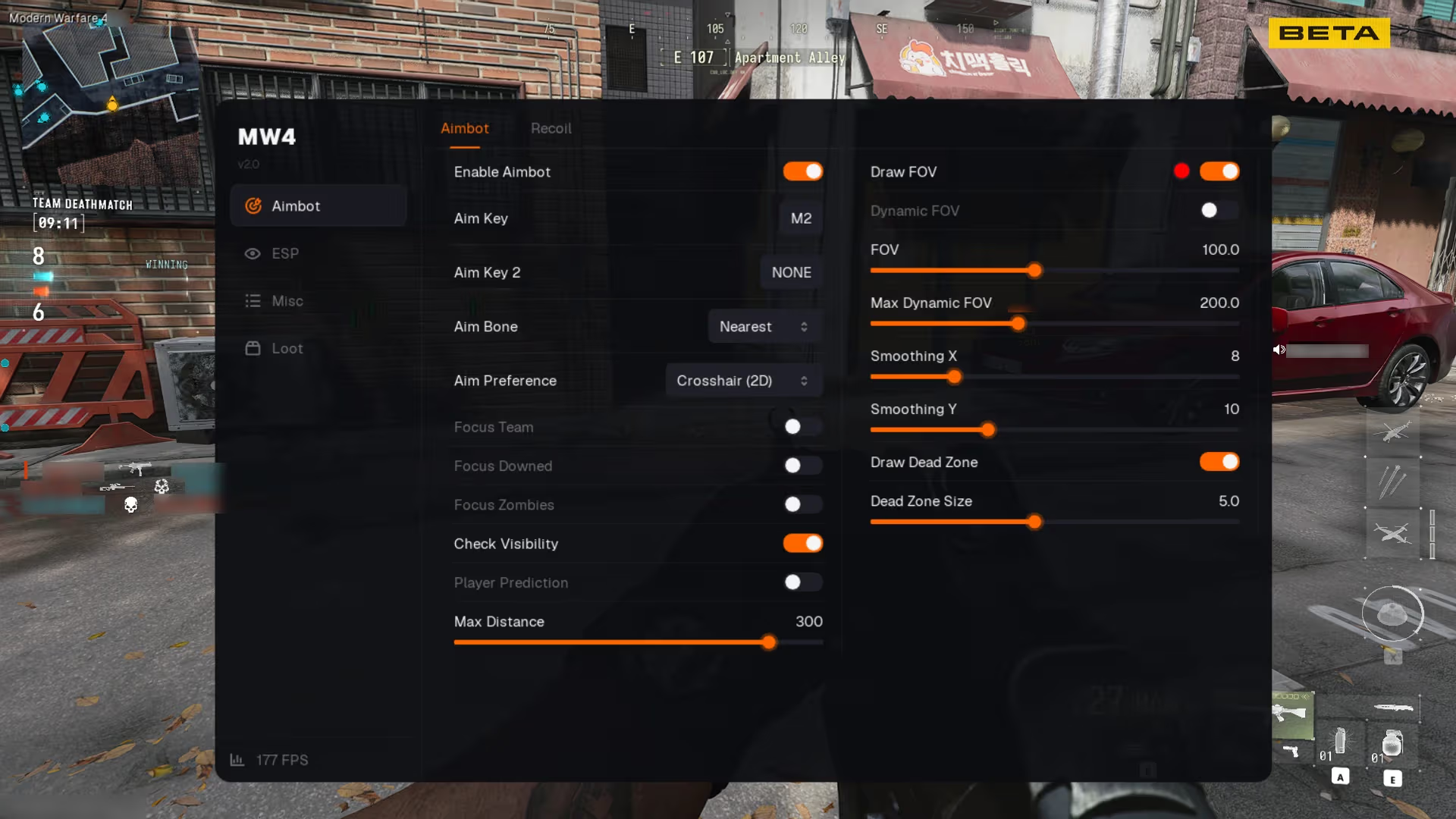
An aimbot provides auto-targeting assistance. Most settings menus have additional options beyond simply turning the function on and off.
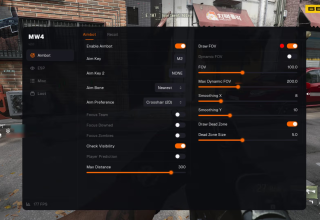
Typical controls include a customizable activation button, target bone selection, nearest-bone targeting, field of view (FOV), smoothing, visibility checks, prediction and maximum targeting distance. Options may vary based upon the current state of the cheating software.
The Field of View is commonly referred to as FOV and determines the range in which the tool will look for a valid target. If you set a small FOV it will limit that search to a very small area. Conversely if you increase the size of your FOV it increases the area in which the tool will search for a target. Smoothing refers to how quickly the aim moves toward the chosen location.
Players researching these controls can view a more complete MW4 feature overview showing the current feature categories and actual interface screenshots.
Player ESP and visual information
Player ESP includes additional player information displayed on-screen. That can include player details not normally shown by the standard game UI.
Depending on the cheating software, examples of the information provided may include: boxes, names, distance, health, shields, weapons, skeleton information or whether a player is visible. Some systems also include snaplines or filtering options for teammates, downed players and visible-only targets.
The main goal of an ESP is to provide additional player information. A screenshot of the actual menu can help explain what options are present, while promotional artwork alone tells you less. Viewing gameplay videos of an ESP in action can demonstrate how those overlays are presented during play.
Radar and world awareness
A radar provides different functionality than labeling other players. A configurable 2D radar can show nearby player positions and other supported information in a section of the screen separate from other information.
Visual world tools may encompass more than just human opponent indications. Depending on the cheating product, supported indicators may include: AI/bot indicators, vehicle indicators, item indicators, crate indicators, weapon indicators and ammo indicators. With numerous possible marker options available, filtering becomes important to prevent cluttering the screen with too much data. Filters enable users to selectively view only certain categories of data rather than seeing everything available.
Crosshair and interface customization
Third-party applications often provide crosshair style options along with color options, size options for crosshair displays and options for watermarks. Although these elements customize how information is viewed in-game they do not perform similar functions to targeting assistance or other forms of player detection via ESP.
Other common examples include labels like Streamproof and screenshot-protection. Regardless of label, neither indicates that every form of video recording or image capture will be supported. Users need to verify specific behavior for the most recent build of software.
Beta testing and the retail build
Beta results can indicate only that testing occurred during a beta period. Even if testing showed no issues during that time frame with regard to software causing bans, further testing is required to determine if software works in retail builds.
The information supplied for this article states that the third-party MW4 build was tested during the beta, with no bans reported to the team during that window. CriticalHit has not independently verified that claim. A successful beta test does not imply that future retail builds will remain compatible. Additionally subsequent retail patches or updates could potentially cause previously working cheating software to become incompatible again.
According to the supplied information, retail verification is expected to begin after the October 23 launch. Until then, retail compatibility is unconfirmed. Players should check the latest status information, because patches or anti-cheat updates can change compatibility.
Know the risks before using third-party software
Use of unauthorized cheating software constitutes a violation of Activision’s security and enforcement policy. Players may face account restrictions or bans for use of unauthorized software and no third party can guarantee removal of that risk long-term.
Prior to purchase or usage of any software, research: current status, supported operating systems, available features and refund policy. Has the software developer successfully tested this software against the current retail build? Or does evidence come from previous tests?
Real screenshots, gameplay videos and dates associated with status updates provide readers with tangible evidence to evaluate claims made by a developer. Unfortunately no amount of evidence will convert a claim of being “undetected” into a permanent guarantee.
Last Updated: October 2, 2026