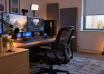
Picture a rental tour. The router sits on the kitchen counter, still wrapped in its original twist tie, while the leasing agent talks about the walk-in closet. The streamer has stopped listening. They’re counting outlets in the office, looking for a route for Cat6 cable, and wondering what sits on the other side of the bedroom wall. Most tenants wouldn’t think to check half of this.
If you broadcast or compete from home, choosing a rental means choosing where you’ll work and play. A good-looking apartment can be a poor fit once the desk, microphone, and cables arrive. These are the trade-offs to work through before paying the deposit.
Pick the Room Before You Pick the Apartment
Choosing the apartment first and squeezing a studio into the leftover space is an easy mistake. Walk through the floor plan with your actual setup in mind. A north-facing room with one small window can be useful for filming. A sunny corner with three exposures gives you more glare and changing daylight to manage. Listen for HVAC noise near the spot where you’d put the microphone. A shared wall with a neighbor’s living room deserves attention, too; ordinary acoustic panels won’t stop bass coming through it.
Consider ceiling height alongside square footage. A small room with 10-foot ceilings may feel open, but that doesn’t tell you how it will sound. Room shape, surfaces, and furnishings all matter. Stand where the microphone would go and listen for echoes. If the studio also has to be your bedroom, think about whether a wall or half-wall could separate the bed from the desk.
Decide How Much Internet You’re Actually Willing to Compromise On
This question can bring a promising tour to an abrupt end. Ask what’s installed at the specific unit, rather than what providers advertise for the neighborhood. Cable can handle a good stream if the upload speed and stability meet your needs. Symmetrical fiber offers more upload headroom, but you still need to check the plan and work out how to get a wired connection to the desk.
Start with the bitrate you intend to use for your 1080p60 stream. Leave room for the other things sharing the upload connection: a partner’s video call, perhaps, or the doorbell camera you forgot about. A second PC downloading updates adds download traffic as well. Ask about peak-hour performance. A large advertised download speed won’t be much comfort if your stream keeps dropping frames.
- Ask for the ONT. If fiber reaches the unit, find out where the optical network terminal is. It may be a separate box or part of the provider’s equipment. Note where the connection enters in relation to the desk.
- Confirm wiring rights. Some landlords allow tenant-installed low-voltage cable runs. Others regard a drilled hole as a lease violation. Get permission in writing before move-in.
- Check for exclusivity. Ask which providers can actually serve your unit and whether a new installation needs building approval. A provider serving the street may still be unable to connect the apartment.
Wire the Desk, Don’t Trust the Wi-Fi
Wi-Fi is convenient. For a competitive setup, though, Ethernet is a sensible starting point. It takes wireless interference and a weak signal between the desk and router out of the equation. It won’t fix congestion or faults elsewhere on the connection. Test the wired connection rather than assuming the cable solves everything.
Before signing, look at the outlets behind your planned desk. Two duplex outlets tell you how many plugs fit; they don’t tell you how much power the circuit can safely supply. Your rig, stream PC, two monitors, capture card, mixer, key lights, and monitor arm with USB pass-through all add to the load. Ask which breaker feeds the room and what else shares it. If capacity is unclear, ask the landlord to arrange an assessment by an electrician. A power strip gives you more sockets, not more circuit capacity.
Plan the Ergonomics Before the Aesthetics
You might replace your gear every eighteen months. Your back and wrists need to last considerably longer. A windowed alcove can make glare awkward to control, while a desk shallower than 30 inches may leave too little room for your particular monitor and keyboard. Measure your setup. Can you sit comfortably without leaning forward or reaching for the mouse?
Yale’s environmental health team publishes a short ergonomics guide covering monitor height, seated posture, and eye-rest intervals. Read it once and design the room around it.
Sort Out Who You’re Renting From
The landlord relationship is easy to overlook while you’re planning the setup. It matters much more when the hot water heater fails during a charity marathon. Find out how you would report a problem, who receives the request, and how you’d get an update. An extra bedroom won’t answer the phone for you.
If you’re considering a professional operator such as Green Residential, ask how maintenance requests are handled and what happens if the HVAC fails during a July stream. A company name alone doesn’t guarantee that a particular repair will be completed quickly.
Ask direct questions before signing. Who handles emergencies after hours? How long does it usually take to respond to a maintenance ticket? Are minor changes, such as a wall-mounted monitor arm, an acoustic panel, or a low-voltage cable run, allowed with written approval?
A landlord who won’t give clear answers is giving you a reason to look more closely before committing to the next twelve months.
The best gaming rental may have unremarkable listing photos. What matters when you sit down to stream is whether the wiring works for your setup, the room is usable, and someone will deal with a maintenance problem. Check those things while you still have the option to walk away.
Last Updated: September 25, 2026