
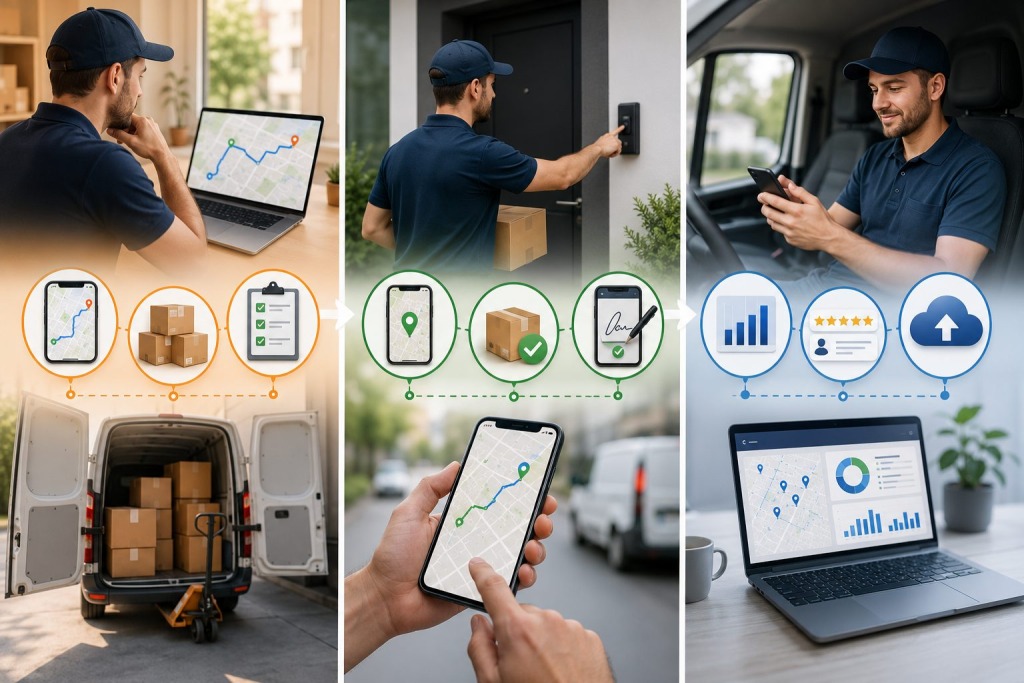
At a delivery stop, a driver may complete anywhere from five to eight different tasks. The order in which these activities occur, and how quickly they are completed, matters when time is limited. The app used for routing needs to assist with all of them.
- How well the route app supports each of those actions determines how long the stop takes
- How accurately the delivery is recorded
- and whether the back-office team gets the information they need to manage the fleet and serve customers
Although a route app appears to function well on a dispatcher’s screen, it may be less useful to the driver making a delivery. One way to evaluate it is to follow a driver through a stop and see where they pause, whether they have to search for information, and when they contact the office.
Here are five things every capable app for routes must do across the full lifecycle of a delivery stop.
Thing 1: Navigate to the Correct Access Point Before the Stop
Finding the right entrance for a truck bringing goods into a facility is the first step toward completing the delivery.
Commercial Access Point Navigation, Not Just Address Navigation
Consider a warehouse just outside Atlanta. In this example, it has an entrance off the main road for visitors, but trucks use a receiving bay on a service road 400 meters away. Sending the driver to the front entrance means taking an unnecessary detour. The driver asks a security guard, drives around the complex, and loses 8 to 12 minutes per occurrence.
An app for routes that handles commercial freight needs to store access points for these sites. On the next visit, it should select the loading bay or goods-in entrance for that type of delivery. Telling a driver where to go before they leave the depot is of limited help if that information is hard to find when they arrive.
Thing 2: Surface Delivery Instructions Before the Driver Exits the Vehicle
Drivers need the instructions when they are inside the truck. Finding out that an access code or a receiving contact is missing after getting out leaves them with a problem to sort out at the door.
Stop-specific Instructions at the Point of Arrival
When the driver arrives, the app should pull up the information for that stop. This could be an access code, the receiving contact’s name, where pallets should be placed, temperature logging requirements for cold chain deliveries, or special handling information from the order. Put it together where the driver can read it before leaving the cab.
Reviewing this information gives the driver an opportunity to prepare. It may save a search for someone who knows about the delivery, a look through paper instructions, or a call to dispatch about something that could have been explained in the stop notes.
Thing 3: Capture Proof of Delivery in a Structured, Guided Workflow
Electronic proof of delivery, or ePOD, documents the handover. The driver needs a structured workflow so the required evidence is collected before leaving the customer’s premises.
What a Structured ePOD Workflow Includes
The driver follows the ePOD steps in sequence:
- First, the driver confirms the delivery address
- Second, they capture the recipient’s name or contactless confirmation
- Third, they capture the signature or QR scan
- Fourth, they photograph the delivered freight in its placement position
- Fifth, they mark the stop complete
Each record should have a GPS-stamped location and a precise timestamp. Set under 90 seconds as a target when testing the capture workflow; it is not a guaranteed time for every stop. Check that records are auditable and tamper-evident, and that the office can access them once they have synced.
Thing 4: Report Delivery Exceptions in Under 60 Seconds With Full Context
Make a delivery exception visible to dispatch quickly enough for someone to decide what to do next. A goal of under 60 seconds for entering a report can be tested with drivers.
Structured Exception Reporting That Saves Dispatcher Time
The driver should be able to select a reason such as consignee absent, access denied, incorrect address, or freight damaged on arrival. They then take a photo, write a brief description and submit it. With a working connection, the report should reach dispatch within seconds, including the relevant stop details.
Dispatch can respond with instructions to try again, make an authorized neighbor drop, or return to the depot. For routine issues, the app should handle this exchange without a phone call. It also needs to show the driver when a reply has arrived.
Thing 5: Sync All Stop Data to the Back-Office System in Real Time After Completion
Keeping stop data on the driver’s device until the end of the shift limits what dispatch can do with it. By that point, it may be too late to resolve a problem while the vehicle is still nearby.
Real-time Sync as the Foundation of Back-office Visibility
Once a stop is complete, send the timestamp, ePOD record, GPS location and any exception records to the back-office system. Dispatch can see what is finished and use the information to update ETAs. Sending it promptly also provides immediate exception alerts for logistics coordinators.
The average failed-delivery cost often quoted is $17.78. This is a historical figure from Loqate’s study, based on research carried out in 2017. Actual costs depend on the operation. Reporting a failed delivery quickly lets dispatch authorize another attempt before delays build up across the shift.
Test how the app performs when the device loses its signal. It should save stop records on the phone and upload them automatically once the connection returns. A driver should not have to enter the delivery twice because of a basement loading bay or a rural stretch with no coverage.
Demand All Five From the App for Routes Your Drivers Use Every Day
During a typical round, ask drivers to try all five tasks. Can they find the entrance, read the delivery notes, capture proof of delivery, report a problem and confirm that the office has the record? Their responses will give you more to work with than a product brochure.
Small problems at individual doors can be overlooked in an overall route plan. Repeated throughout a shift, poor instructions and incomplete records create extra work for drivers and office staff.
FarEye offers route optimization and real-time tracking for delivery teams. If you are evaluating its app for routes, check how the proposed setup supports these five tasks. Include a failed delivery and a loss of signal in the trial, along with a normal handover.
Last Updated: September 18, 2026