
Introduction
In 2026, “how to change location on iPhone” has become one of the most searched topics in mobile tech. But most people who try it run into the same frustrating problem: they change something, and nothing actually changes in the apps they care about.
The reason is simple; most people are using the wrong method for the wrong problem. This guide breaks down what “changing your iPhone location” actually means, the three types of location on your device, and what you need to know before doing anything.
Understand the 3 Types of iPhone Location
This is the core misconception. When people say “change my location,” they’re actually describing three completely different things.
Apple ID Region
- What it affects: App Store content, subscriptions, in-app purchases
- Common use case: Downloading apps unavailable in your country’s store
- Difficulty: Easy. Changeable in Settings
- ❗Note: This only changes your account region. It has zero effect on your GPS or physical location.
IP Address (Network Location)
- What it affects: What country websites and streaming platforms think you’re in
- How it works: Via VPN
- Common use case: Accessing region-locked content on Netflix or other platforms
- ❗Note: VPNs only mask your network location. They cannot change your GPS coordinates; maps and location-based apps are completely unaffected.
GPS Location (Your Actual Physical Location)
- What it affects: Maps, location-based games (like Pokémon GO), social apps, dating apps
- Difficulty: High. iOS has no built-in way to change this
- ❗This is what most people actually want
The most common reason spoofing fails: people try to change their GPS using tools that only affect the other two.
iPhone Location Types Compared:
| Type | What It Changes | Who Needs It |
|---|---|---|
| Apple ID Region | App Store content | Users wanting foreign apps |
| IP Address | Website / streaming access | VPN users |
| GPS Location | Maps, games, social apps | Gamers, privacy users |
GPS is the hardest to change because iOS locks down location data at the system level. Unlike Android, which lets you enable mock locations in Developer Options. On iPhone, the most practical no-jailbreak approach uses a desktop tool that connects to your device and spoofs the GPS signal via Bluetooth.
PoGoskill is one of the most widely used tools for this. It supports one-click location switching, route simulation, and joystick control. All without jailbreaking. Here’s how to use it.
How to Change GPS Location on iPhone Without Jailbreak
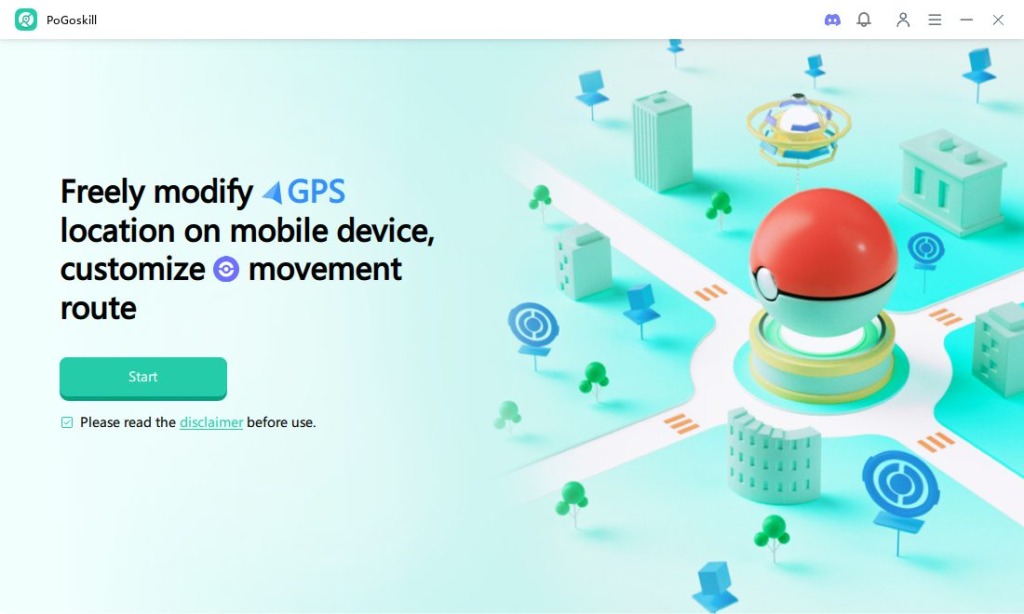
Step 1: Download and install PoGoskill from its official website.
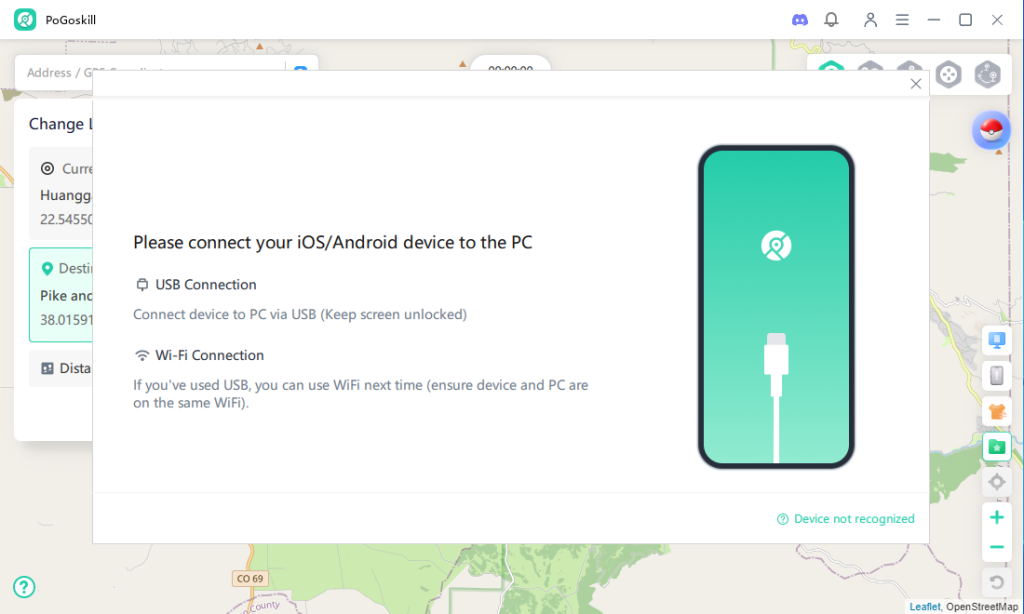
Step 2: Connect your iPhone via USB or Wi-Fi.
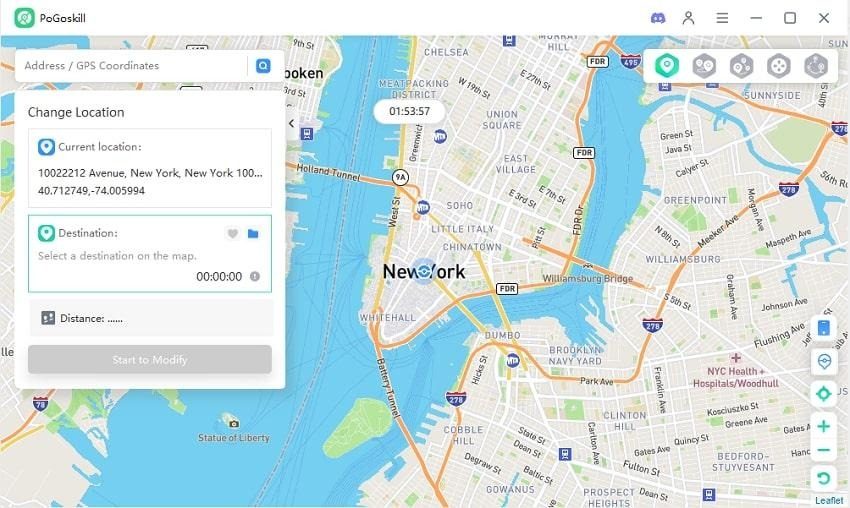
Step 3: Select a virtual location on the map and apply changes.
Is It Safe to Change Location on iPhone? Risks Explained
Risk 1: Account Ban
Certain apps, especially games like Pokémon GO and Monster Hunter Now, may monitor location behavior. Sudden or unrealistic location changes can trigger warnings or restrictions.
Risk 2: Privacy Concerns
Not every spoofing tool is trustworthy. Some free tools log your real location, device identifiers, or other data in the background. Free VPNs are a particular red flag. Their business model often depends on selling user data.
Risk 3: App Errors and GPS Glitches
Unstable GPS injection can cause maps to glitch, features to break, or accounts to behave oddly. This is again a tool quality issue. A clean, stable GPS signal from a reliable tool generally doesn’t create these problems.
How to Change iPhone Location Safely
- Know which type of location you’re actually trying to change (region, IP, or GPS)
- Use a trusted tool — avoid unverified free software
- Pace your location switches: use cooldown periods, don’t teleport repeatedly
- Avoid jailbreaking unless you fully understand what you’re doing
How to Turn Off Location on iPhone (For Privacy Protection)
If your goal is simply to stop apps from tracking you, not to appear somewhere else. There’s a much simpler option built right into iOS.
How to do it:
- Open Settings
- Go to Privacy & Security
- Tap Location Services
- Toggle it off entirely, or adjust permissions app by app
You can also set individual apps to “While Using the App” or “Ask Next Time” to prevent background location access.
❗ Note: Turning off location services stops apps from seeing your location at all. It doesn’t make you appear to be somewhere else. These are different things.
7. FAQs About Changing Location on iPhone in 2026
Q1: Can I change my iPhone’s GPS location without any third-party tool?
No. iOS doesn’t have a built-in option for this. Android offers a “Mock Location” setting in Developer Options, but iPhone has no equivalent. If you want to spoof your GPS, you need a dedicated tool.
Q2: Does a VPN change iPhone GPS location?
No, and this is the most common misconception. A VPN changes your IP address, which affects how websites identify your country. It has no effect on GPS, which is a completely separate system based on satellite signals. Your Maps app will still show your real location.
Q3: Is it legal to change your iPhone location?
In most regions, changing your location for privacy or personal use is not illegal. That said, using location spoofing to deceive other people or circumvent legal obligations could create legal exposure depending on your jurisdiction. For gaming, privacy, and general personal use, there are typically no legal concerns.
Q4: Can you go back to your real location afterward?
Yes. Location changes made by spoofing tools are not permanent. You can click “Restore Real Location” in the tool, or simply disconnect. Your iPhone will re-acquire its real GPS signal within a few seconds.
Conclusion
Many users struggle with changing iPhone location because they confuse different types of location settings. Whether you need to access region-locked content, download apps, or simulate GPS movement, choosing the correct method is essential.
Understanding these distinctions helps avoid ineffective solutions and ensures a smoother experience when managing location settings on iOS.
Last Updated: March 31, 2026