Working from home sounds like a dream until you realize you will be using your kitchen table as an office space. Trying to balance a laptop on a stack of books while squinting at tiny text is not the ideal professional lifestyle most people imagine. It is easy to feel cramped when your whole career is compressed into a single thirteen-inch display every single day.
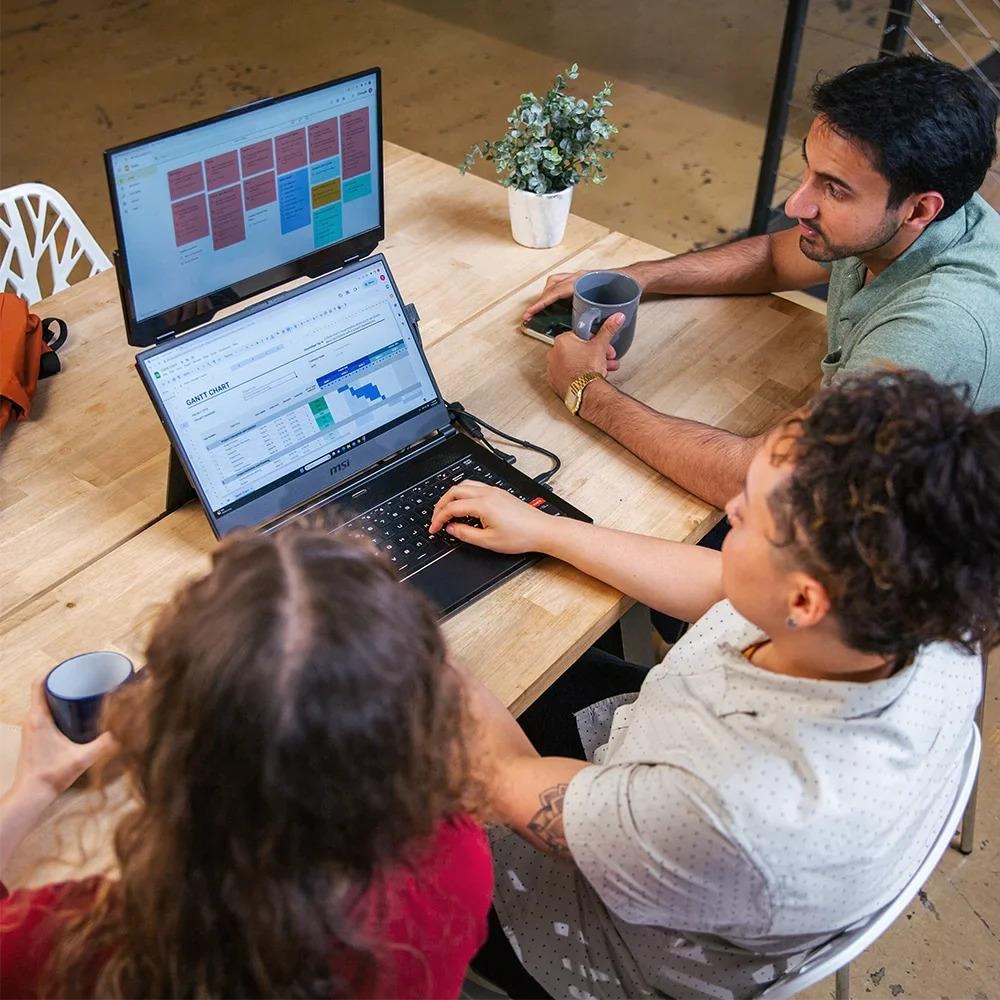
Most remote workers think that a permanent office is the best way to be productive, but in reality, portability is the better answer. You can upgrade your setup without a bulky desk by using a screen like the Duex Float extra screen for laptop. This allows you to stay professional and organized even if you are working from a small apartment.
The Reality Of Working From Home On A Single Display
When you work remotely, you are the IT department and the office manager. This means you are constantly flipping between email, project boards, and your actual work. On a single screen, this creates a lot of invisible lost time. Every time you Alt-Tab to find a spreadsheet, your brain has to reset its focus.
This constant switching leads to a specific kind of mental fatigue. By lunch, your eyes feel tired, and you feel like you haven’t made much progress. A multi-display setup is usually standard in a corporate office for a reason. Bringing that same level of visibility to your home office helps you feel more in control of your daily tasks.
How Does An Extra Screen For Laptop Save Your Workday?
The biggest change is how you handle communication. You can keep your team chat or video calls open on your secondary display while keeping your main screen dedicated to deep work. This stops the sudden interruptions that happen when a notification covers up the document you are writing. It makes your workflow feel much more natural.
Having an extra screen for laptop also helps you stay in a flow state. When you can see your references and your output at the same time, you don’t have to hunt through hidden tabs. This layout keeps the “mess” away from your main project, allowing you to think more clearly. It makes a huge difference when you are managing a busy afternoon with multiple deadlines.
Building A Case — How To Get Your Boss To Pay For It
If you are worried about the cost, remember that your company has an interest in your productivity. You can explain to your manager how much faster tasks get finished when you have more digital real estate. Most bosses understand that a small investment in hardware is cheaper than losing hours of work to a slow, cramped setup.
You can also make a health argument. Ergonomics are often ignored in remote work, leading to neck pain and eye strain. A portable monitor can be positioned to help your posture, which prevents the burnout that comes from physical discomfort. Framing it as a long-term investment for a hybrid workforce makes it a much easier sell for a manager.
Choosing Gear That Fits A Home Environment
Since home space is limited, you should look for gear with a small footprint. A monitor that can be stowed away in a drawer at the end of the day is better than a giant desktop screen that stays on your dining table. Stability is also key. You want a setup that stays firm even if you are working from a couch or a small cafe table.
Features like stacked height are very helpful for long calls. It aligns the screen with your eyes so you aren’t constantly looking down. This ergonomic shift is vital if you want to stay comfortable during long sprints. Look for a simple connection that uses one cable to keep your workspace clean and organized.
Your Home Office Upgraded
Remote work should help in promoting your career, not cause issues in your space. With the help of the right tools, you can make your work easier and give yourself the professional edge needed to improve your position. By taking control of your display, you are also taking control of your output, and it is the best way to achieve real balance while working from home.
Last Updated: June 4, 2026