
If your iPhone shows “Locked to Owner,” it usually means the device is protected by iCloud Activation Lock, a security feature that links the device to the original Apple ID.
While this protection is designed to keep the device secure, it can also prevent legitimate users from accessing the device when the original account is unavailable.
So, iPhone Locked to Owner how to unlock free? In this guide, we will introduce the official free methods first and then explain how to remove iCloud Activation Lock without a password.
What Does “iPhone Locked to Owner” Mean?
iPhone Locked to Owner appears when Apple’s Activation Lock is enabled on your device.
Activation Lock is part of Apple’s Find My iPhone security system. When Find My iPhone is enabled, your Apple ID becomes linked to your device.
After a factory reset, the iPhone still requires the original Apple ID and password before activation.
This security feature protects users when their iPhone is lost or stolen, but it can become a problem when:
- You forget your Apple ID password
- You buy a used iPhone that was not removed from the previous owner’s account
- You reset your iPhone without signing out of iCloud
How to Unlock iPhone Locked to Owner for Free?
Below are a few free methods, but they only work in specific situations.
Method 1: Use Apple ID and Password (100% Free)
This method only applies to the original owner of the iPhone who has access to the Apple ID and password associated with the device.
Steps:
Step 1: Enter Apple ID
Enter the Apple ID shown on the Activation Lock screen.
Step 2: Enter Password
Type the correct Apple ID password.
Step 3: Complete Activation
After successful verification, continue setting up your iPhone.
Method 2: Ask Previous Owner to Remove Activation Lock
For second-hand iPhones, contacting the previous owner is another free solution.
The previous owner can remove the device from their Apple ID remotely.
Steps:
- Sign in to iCloud
- Open Find My
- Select the iPhone
- Remove the device from the account
After removal, you can restart the iPhone and complete setup.
Method 3: Try DNS Bypass for iCloud Activation Lock
Some users search for DNS bypass methods as a free way to access an Activation Locked iPhone.
A DNS bypass changes network settings during activation and may provide temporary access.
However, this method has limitations:
- It does not permanently remove Activation Lock
- Some features may not work properly
- Compatibility may vary depending on iOS versions
For a complete Activation Lock Removal solution, users may need a professional unlocking tool.
How to Remove iCloud Activation Lock Without Password
If you cannot access the Apple ID linked to your iPhone, removing iCloud Activation Lock becomes more difficult.
For users who need to remove iCloud Activation Lock without password, a professional iPhone unlock tool may provide an alternative solution.
iToolab UnlockGo: Activation Lock Removal Solution
iToolab UnlockGo is designed to help users remove Activation Lock when they cannot access the original Apple ID password.
With UnlockGo, users can:
- Remove Activation Lock on supported iPhone and iPad devices without jailbreak
- Unlock iPhone Locked to Owner without Apple ID password
- Support a wide range of iPhone models, from iPhone 5s to iPhone 17 series
- Compatible with supported iOS 12–26 releases
- Complete the removal process without complicated operations
How to Remove iPhone Locked to Owner with UnlockGo
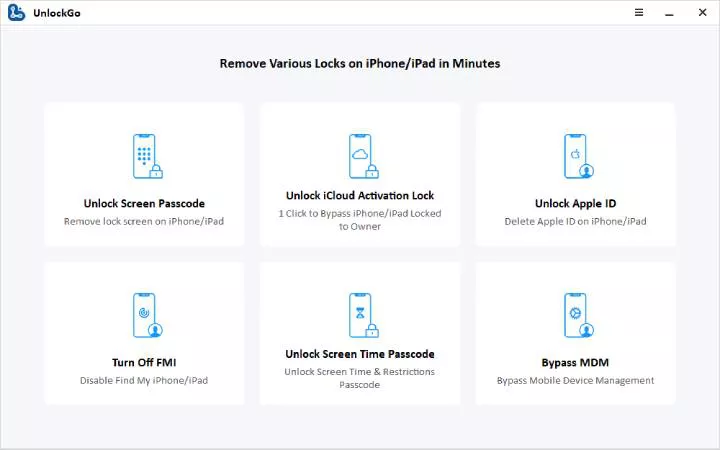
Step 1: Download and Launch UnlockGo
Install iToolab UnlockGo on your computer and Select “Unlock iCloud Activation Lock”
Step 2: Connect Your iPhone via USB
Connect your iPhone to the computer using a USB cable.
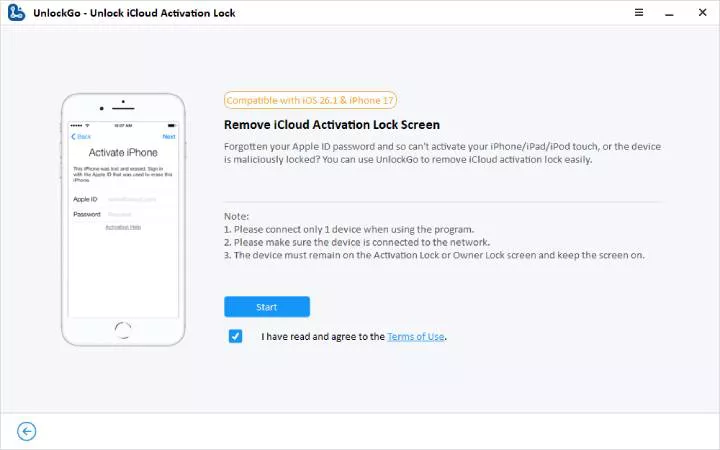
Step 3: Start Activation Lock Removal
Start the removal process.
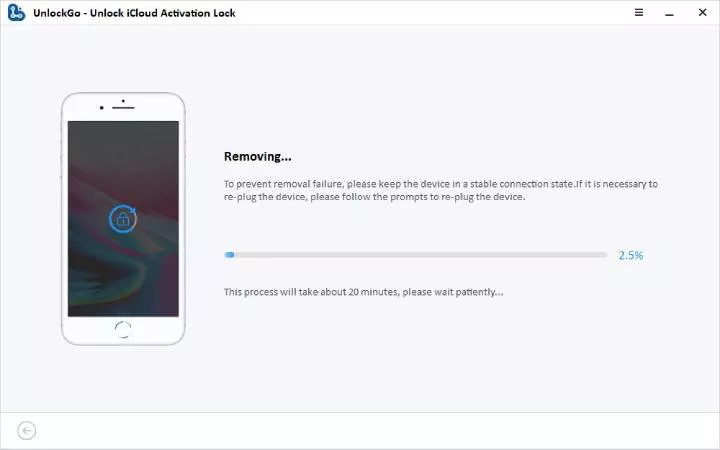
During this process:
- UnlockGo will process Activation Lock Removal
- Your device may restart
- Keep your iPhone connected until completion
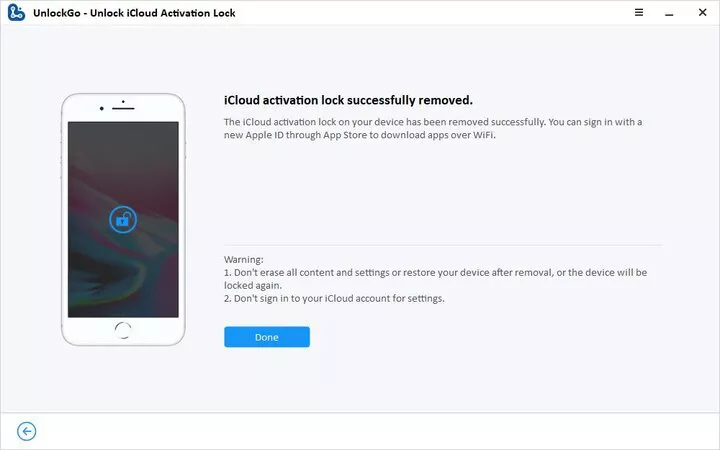
Step 4: Complete Removal and Set Up Your iPhone
After the process finishes, your iPhone will restart.
FAQs
Q1: How to remove iCloud Activation Lock without password?
If you cannot access your Apple ID password, tools such as iToolab UnlockGo provide an alternative solution for Activation Lock Removal on supported devices.
Q2: Does iToolab UnlockGo require jailbreak?
No. iToolab UnlockGo does not require jailbreak on supported iOS versions.
Q3: Will Activation Lock removal erase my data?
Most Activation Lock removal methods require resetting the device.
Conclusion
The “iPhone Locked to Owner” message appears when Activation Lock is enabled. If you have the Apple ID password, can contact the previous owner, or can verify ownership with Apple Support, you may be able to remove it for free; otherwise, iToolab UnlockGo can offer a simple Activation Lock Removal solution for supported devices.
Last Updated: July 9, 2026