
Meetings often generate more information than teams can easily manage. Documents, discussion points, ideas, decisions, and follow-up tasks can quickly become scattered across different tools, making it harder to prepare well, brainstorm clearly, and follow through after the meeting.

Wondershare EdrawMind AI offers a practical way to make meeting workflows more structured, making it one of the best AI tools for managing meeting workflows in 2026. Built into Wondershare EdrawMind, it combines AI conversation, mind mapping, file understanding, online search, AI Kanban boards, and slide generation in one connected workspace. It helps users turn meeting topics, documents, links, notes, and discussions into structured mind maps, actionable plans, and presentation-ready outputs.
Below are practical ways AI can help users prepare, brainstorm, and recap meetings more efficiently.
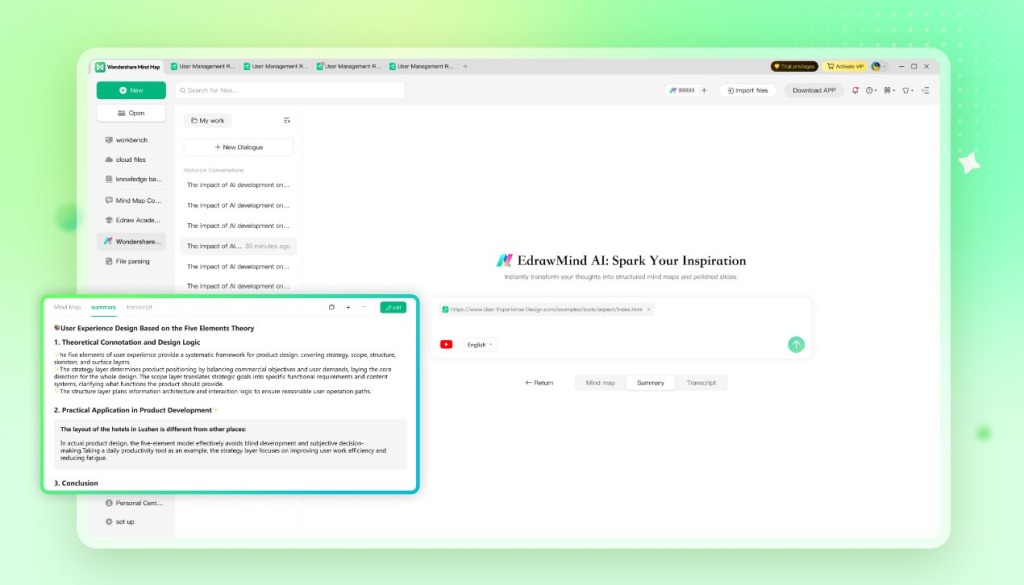
Meeting Preparation: How Wondershare EdrawMind AI Helps with AI Mind Maps?
Wondershare EdrawMind AI supports meeting preparation by helping users understand and organize information before the discussion begins.
- Prompt-to-mind-map generation: Structured mind maps from a simple meeting topic, question, or objective.
- Long-form text organization: Clear visual frameworks from notes, drafts, articles, research materials, or meeting content.
- File-based mind map creation: Mind map generation from uploaded documents and multi-format files.
- Link and YouTube support: Key point extraction and visual organization from online content and YouTube video links.
- Visual knowledge structuring: Clearer relationships between main ideas, subtopics, supporting details, and action points.
This helps teams enter meetings with a clearer purpose and shared context. Instead of spending the first part of the meeting figuring out what to discuss, participants can focus on decisions, ideas, and execution.
Outcome Delivery: How Wondershare EdrawMind AI Helps with AI-Generated Slides?
Quick Answer
AI can help users turn meeting outcomes into presentation-ready materials. After a meeting, users can use AI to transform key points, decisions, project plans, or mind maps into outlines, slides, reports, and other professional deliverables.
How Wondershare EdrawMind AI Helps with Meeting Deliverables?
Wondershare EdrawMind AI supports content delivery through AI-generated slides and professional output creation.
- AI presentation outline generation: Structured slide logic from meeting outcomes, topics, or project plans.
- One-click slide generation: Presentation-ready slides from ideas, outlines, and structured meeting content.
- Template-based slide creation: Polished visual output with more than 200 presentation templates.
- Fast slide creation: Single-page slide generation in as little as 5 seconds.
- PPTX export: Downloadable PowerPoint files for further editing and sharing.
- Professional deliverable support: Planning proposals, structured project documents, long-form copywriting, reports, and presentation materials.
This helps users move from discussion to delivery more efficiently. Instead of rebuilding meeting content in another tool, users can turn structured ideas into shareable materials for managers, clients, classmates, or cross-functional teams.
Post-Meeting Execution: How Wondershare EdrawMind AI Helps with AI Kanban Boards?
Quick Answer
AI can help users turn meeting discussions into execution plans by identifying tasks, owners, priorities, deadlines, and next steps, says IBM. This makes it easier to move from “what was discussed” to “what should happen next.”
How Wondershare EdrawMind AI Helps with Action Planning?
Wondershare EdrawMind AI extends meeting workflows from idea organization to project execution through AI Kanban boards.
- AI task extraction: Automatic identification of task owners, priorities, deadlines, and project details from text or multi-format files.
- Kanban board generation: Visual project boards for clearer task tracking and progress management.
- Mind map and Kanban synchronization: Two-way connection between visual planning and task execution.
- Project planning support: Conversion of ideas, meeting notes, and project outlines into actionable workflows.
- Workflow management: Better organization of task status, responsibilities, and next steps in one visual workspace.
This helps prevent meeting outcomes from staying as static notes. Teams can turn discussions into visible responsibilities and trackable progress, making follow-up work easier to manage after the meeting ends.
Meeting Recap: How Wondershare EdrawMind AI Helps with Structured Meeting Notes?
Quick Answer
AI can help users recap meetings by summarizing key points, organizing decisions, highlighting unresolved questions, and creating a clear follow-up structure. A useful meeting recap should not only record what happened, but also make the next steps easy to understand and act on.
How Wondershare EdrawMind AI Helps with Meeting Recaps?
Wondershare EdrawMind AI can help users turn meeting content into structured recap materials.
- Meeting notes organization: Clear visual recaps from raw notes or discussion content.
- Decision tracking: Key conclusions and decisions organized in a structured format.
- Action item planning: Follow-up tasks, owners, priorities, and deadlines arranged for execution.
- File-based recap: Important information extracted from meeting documents, notes, and related files.
- Multi-round refinement: Recap improvement through follow-up questions, added context, and structure adjustments.
- Reusable meeting records: Meeting outcomes saved as mind maps, task boards, or structured documents for future reference.
This makes meeting follow-up more reliable. Teams can review what was decided, understand what still needs to be discussed, and continue the workflow across future meetings without losing context.
Who Can Benefit from AI-Powered Meeting Workflows?
Wondershare EdrawMind AI is useful for people and teams that need to manage meeting information, organize ideas, and follow through on decisions.
It is especially useful for:
- Project managers who need to turn meetings into tasks, timelines, and project boards.
- Team leaders who need clearer agendas, decisions, and follow-up plans.
- Product teams who need to organize requirements, feedback, roadmap discussions, and action items.
- Marketing teams who need to brainstorm campaigns and turn ideas into execution plans.
- Educators and trainers who need to prepare discussions, summarize sessions, and create slides.
- Students and researchers who need to organize study materials, research discussions, and presentation content.
- Knowledge workers who need to manage documents, meeting notes, ideas, and deliverables in one workflow.
For users who only need simple meeting notes, a basic notes app may be enough, and there are some great options, according to Zapier.. But for users who want to connect meeting preparation, brainstorming, project follow-up, and content delivery, Wondershare EdrawMind AI provides a more complete visual workflow.
Final Thoughts
Wondershare EdrawMind AI makes meeting workflows easier to manage by connecting preparation, brainstorming, recap, task execution, and content delivery in one visual workspace. Instead of letting meeting information stay scattered across notes, files, and follow-up tools, users can turn ideas, discussions, decisions, and action items into mind maps, Kanban boards, structured notes, and presentation-ready slides with EdrawMind AI.
Last Updated: June 20, 2026