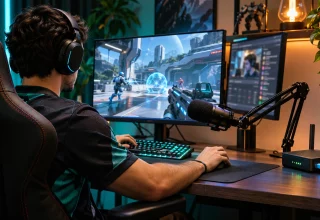
You’re just a single round away from a win in a ranked match, or an hour into a stream when things lock up entirely. Your packets start crawling. The stream drops. There’s a stranger in chat and something just doesn’t feel right. That itself isn’t enough evidence of an attack: you could have run into congested servers or Wi-Fi issues. If an individual has obtained your public IP address, though, your connection is a potential target. Consider adding connection privacy to your list of required tools. Resources like VPNOverview provide information that allows you to evaluate the various options.
For competitive gamers and streamers the important question is what type of tool protects what exactly. A VPN can mask your home IP address for services receiving traffic through its tunnel. It cannot guarantee a lag-free match, recover a stolen account or hide personal information that you display while playing or streaming.
What Can Someone Actually Do With Your IP Address?
Your public IP address identifies your Internet connection. It may reveal your service provider and an approximate location, but does not reliably identify your street address. Having your public IP address does not equate to having your password or gaining remote control over your machine.
The typical attack is DDoS. According to Cloudflare, a Distributed Denial of Service (DDoS) attack is an attempt to make it difficult for users to reach a particular web server, service or network by flooding it with traffic from multiple systems. A flood directed at your home network can consume all of the bandwidth available to that network and thus stop both the stream you are broadcasting and the match you are attempting to play in.
Exposure varies based upon the services used by the user and the game being played. Watching a stream does not automatically reveal the streamer’s home IP address to viewers. Any time you visit a site owned/controlled by someone else, however, that site receives your connecting IP address. Be cautious about a link sent via chat, regardless of how familiar the sender seems to be. Opening the same URL on a different device connected through your home network may expose the same public IP again.
What Does a VPN Change?
A properly configured VPN directs covered traffic through an encrypted tunnel to the provider’s server. Typically, websites and services accessing the traffic see the VPN server’s address instead of the original connecting address. Be certain that the game clients, voice applications and web browsers are utilizing this encrypted tunnel. Installing a VPN browser extension will not shield separate game or voice clients.
This reduces the chance of exposing your home IP in the future, although it is not a foolproof method for preventing future DDoS attacks. Once an attacker has identified your home IP address, they can continue targeting it directly. Also, an attacker can target the VPN provider causing disruptions as well, and ultimately a VPN cannot keep an attacked game server running.
FTC recommendations include thoroughly investigating VPN apps, reviewing the permissions listed within those apps, and determining if the VPN provider shares data collected with third party organizations. You are placing trust in the VPN operator, so its handling of your data matters. Even logging onto an account exposes identification of yourself to that service. Furthermore, any name or address displayed during a broadcast continues to be visible.
On hotel, airport or café Wi-Fi networks, the tunnel provides added privacy from the local network. Although HTTPS already encrypts content transmitted securely between a web browser and a website, do not be misled into thinking that every login made on public Wi-Fi requires a paid VPN to be safe. Continue to enable HTTPS and do not dismiss certificate warnings.
Choosing a Gaming VPN: Where VPNOverview Fits In
According to VPNOverview research, independent testing, privacy policies, and server coverage tell you more about a provider than its ads do. Use that as a filter. Check these before you pay:
- Logging Policy: What is recorded? How long does the provider store those records? What does any published audit cover?
- Speed: Compare latency, packet loss and streaming performance with and without the VPN. Additional routing may degrade performance; lower ping is no guarantee.
- Server Locations: Try nearby servers and servers close to the region of the game being played. Distance alone does not determine which route will work most effectively.
- Device Support: Verify support for your PC or router. Console users should examine provided setup guides and hardware specifications for compatibility prior to purchasing.
- Reputation: Research testing procedures and disclosure statements from any reviews. Review the provider’s policy as well.
Prior to using a VPN in competition review the organizer’s rules and terms of service applicable to the game. First test it during an everyday session. A paid subscription will not help you if it is continuously dropping throughout your daily gaming sessions.
Connection Privacy Isn’t Just a VPN
It is better to layer several privacy controls than rely on only one tool. A VPN masks your home IP address for covered traffic and protects the tunnel through encryption; however, it provides no defense against stolen passwords or accidentally shared on-camera information. Every layer closes off a different vulnerability; therefore, omitting one creates a void that other layers cannot fill. Here is how the common tools compare.
| Measure | What it does | What it doesn’t do |
|---|---|---|
| VPN | Masks your home IP address for traffic routed through the tunnel and encrypts that connection | Hide details you voluntarily share or guarantee protection against DDoS attacks |
| Two-factor authentication | Makes account theft harder by requiring an additional verification step | Hide your IP address or protect against all phishing attempts |
| Separate gaming email | Helps keep your gaming identity apart from your primary email | Protect your network or secure the inbox automatically |
| Careful on-screen habits | Reduces unintentional sharing of names and places | Stop network-level attacks |
Use strong passwords on your email account and apply two-factor authentication to it as well as your gaming login account. Password reset emails usually arrive in that inbox. CriticalHit’s guide to protecting your gaming accounts through email security explains why it deserves a unique password and two-factor authentication.
What to Do Before Your Next Session
- If you decide on a VPN, verify that its privacy policy meets your needs and install it on the router or device carrying your gaming traffic.
- Test a suitable server for latency, packet loss and stream stability compared with your normal connection.
- Apply two-factor authentication on each of your gaming, streaming, and email accounts with each having a unique strong password.
- Review your stream layout, browser autofill entries and notification items containing personal information before broadcasting.
- Avoid opening unfamiliar links sent via chat messages and confirm account alerts through the platform’s official application or website.
- If connectivity is lost repeatedly review the platform’s status and contact your ISP to inquire as to possible causes of disconnection. Ask about the cause and whether changing your public IP is appropriate; a new address is not always available.
Summary
Begin with identifying what issue needs solving. If this issue is unneeded exposure of your home IP address then a properly configured VPN might help. If the issue is an unprotected account or unwanted notifications from your desktop indicating your true name then focus on resolving these individually.
Research competing providers using resources similar to VPNOverview, inspect their policies personally, and test their performance while playing your usual games. Reliable connection privacy depends on your established practices as much as the software installed on your system.
Last Updated: November 17, 2026