
Introduction
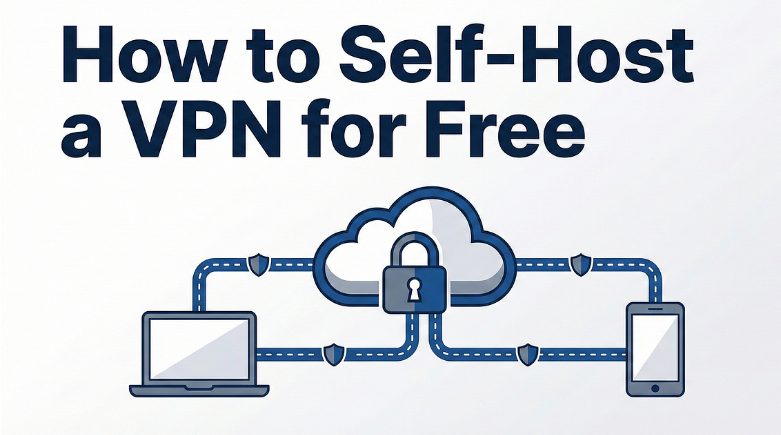
In a world where digital privacy is paramount, setting up your own Virtual Private Network (VPN) server is an empowering way to take control of your internet security. By establishing a personal VPN, you not only enhance your privacy but also ensure a secure connection, free from prying eyes. This guide will walk you through the essential steps and considerations for creating your VPN server, whether at home or in the cloud.
Why Set Up Your Own Private VPN Server?
Full Control Over Your Privacy
When you create a private VPN server, you hold the reins over your data. Unlike third-party VPN services that may log traffic or sell data, your setup ensures that only you have access to your browsing activity and connection logs. This control mitigates risks associated with surveillance or data breaches, putting your online privacy directly in your hands. Additionally, configuring your server allows customization of security settings tailored to your personal requirements, increasing both privacy and flexibility.
Cost Efficiency and Savings
Kamatera’s VPN hosting services can be financially advantageous compared to subscribing to commercial VPN services. While there are upfront costs associated with purchasing hardware or cloud server time, these are typically offset over time by the lack of recurring subscription fees. Moreover, scaling your VPN to accommodate multiple users or devices comes without extra cost, providing long-term savings, especially for families or small businesses.
Enhanced Security Measures
Setting up your own VPN server offers heightened security control tailored to your specific needs. You can implement robust encryption protocols and regularly update your system to protect against vulnerabilities. Unlike public VPNs, where security configurations are out of your control, your private server enables custom firewall settings and the ability to deploy advanced security measures like intrusion prevention systems. This bespoke approach ensures maximum protection for your data.
Getting Started: Preparations You Need
Gathering Necessary Hardware and Software
To kickstart your VPN server setup, you’ll need specific hardware and software components. For hardware, you may choose from options like a dedicated computer, a Raspberry Pi, or a cloud-based server platform. Each option suits different needs and scales, depending on user capacity and performance requirements. On the software side, reliable VPN server software like OpenVPN, WireGuard, or SoftEther should be installed to manage connections and security protocols. Ensure this software is compatible with your chosen hardware to streamline the integration process.
Choosing the Right VPN Protocols
Selecting the right VPN protocols is crucial to ensure your server’s performance and security. OpenVPN is a popular choice due to its strong encryption and robust community support. Alternatively, WireGuard is known for its simplicity and speed, making it an excellent option for server deployments seeking performance efficiency. Other protocols like IKEv2/IPsec offer reliability and secure connectivity, particularly for mobile devices. Consider your primary use cases—such as speed, security, or ease of configuration—to determine the best protocol for your setup.
Understanding Network and Hardware Requirements
Before setting up your VPN, it’s essential to comprehend the network and hardware prerequisites to ensure optimal functionality. Your internet connection should have a robust upload speed, ideally at least 10 Mbps, to accommodate the encrypted data transmission. When it comes to hardware, your device should have a dual-core processor and a minimum of 2GB RAM to handle VPN encryption tasks efficiently. Additionally, ensure that your router supports port forwarding and that you can access its settings, as this is necessary to direct VPN traffic properly.
Step-by-Step Guide to Setting Up Your VPN
Installing the Necessary Software
Once your hardware is ready, the next step is to install the appropriate VPN server software. Start by downloading and installing a well-regarded program such as OpenVPN, WireGuard, or SoftEther, depending on your preference. Most of these software packages come with detailed installation guides tailored to various operating systems, so be sure to follow the instructions precisely. Additionally, it is advisable to verify system compatibility and check for the latest version to benefit from the software’s most recent security updates and features.
Configuring Encryption and Networking
Configuring encryption and networking properly is vital for securing your VPN server. Begin by selecting a robust encryption cipher, such as AES-256, which provides a high level of security with minimal performance impact. Next, configure your VPN to use secure tunneling protocols like TCP or UDP. Ensure your firewall is set to allow traffic through the designated VPN ports, typically 1194 for OpenVPN. Network configurations should also include setting up IP forwarding and DNS leak protection to safeguard user data. Test your setup with different clients to confirm everything operates smoothly.
Setting Up User Accounts and Access Credentials
Creating user accounts and assigning access credentials is a critical step in managing who can access your VPN server. Start by generating unique usernames and strong passwords for each user to ensure secure authentication. Consider implementing certificate-based authentication for added security, which involves issuing a digital certificate to each user for connection validation. Regularly update and maintain these credentials to prevent unauthorized access. If multiple users are connecting simultaneously, ensure that your server is configured to handle the load without compromising performance.
Advanced Setup Options
Setting Up a VPN Server in the Cloud
Establishing a VPN server in the cloud is an efficient way to ensure scalability and reliability. Start by selecting a cloud service provider like AWS, Google Cloud, or Kamatera that offers flexible plans and robust infrastructure. Once your cloud environment is ready, deploy a server instance with enough resources to handle your expected bandwidth and user count. Install your chosen VPN software on this instance, following provider-specific instructions for network configuration and security settings. With the cloud’s global data centers, you can optimize your server’s location for better latency and accessibility.
Utilizing a VPN-Capable Router
Using a VPN-capable router simplifies the process by integrating VPN management directly into your network’s hardware. Look for routers explicitly designed to support VPN functionality, such as those compatible with OpenVPN or routers with built-in VPN features. Once you have the appropriate router, access its admin panel to configure the VPN settings, inputting the server credentials and encryption details. This setup routes all network traffic through the VPN, providing comprehensive security for every connected device without needing separate software installations.
Implementing Multi-Factor Authentication for Added Security
Enhancing your VPN’s security with Multi-Factor Authentication (MFA) is a proactive measure to prevent unauthorized access. To implement MFA, start by integrating a compatible authentication service such as Google Authenticator or Duo Security. These services generate time-sensitive codes that users must enter alongside their passwords. Adjust your VPN server’s configuration to require this additional verification step during login. By deploying MFA, you significantly reduce the risk of breaches due to compromised credentials, providing an extra layer of security for peace of mind.
Troubleshooting and Maintenance
Common Issues and Solutions
Encountering hiccups is common in VPN setups, but most issues can be quickly resolved. Connection drops often result from overloaded network resources or interference, which can be addressed by adjusting server load or switching network channels. If users report slow speeds, ensure that encryption settings and bandwidth resources are optimized. Authentication errors can typically be rectified by verifying user credentials and ensuring synchronized time settings between the server and clients. Regular monitoring and timely updates help prevent and troubleshoot these common challenges effectively.
Monitoring Logs and Preventing Unauthorized Access
Monitoring your VPN server logs is vital for maintaining security and identifying potential breaches. Regularly review connection logs to detect unusual activity, such as repeated failed login attempts, which may indicate a brute force attack. Implement log management tools to automate alerts for suspicious activities. To prevent unauthorized access, ensure robust firewall settings, limit user permissions, and regularly update access credentials. These proactive measures help maintain the integrity and security of your VPN server.
Ongoing Updates and System Maintenance
Maintaining your VPN server’s stability and security requires regular updates and system maintenance. Begin by scheduling periodic updates for your VPN software to ensure you’re protected against the latest vulnerabilities. Updating your server’s operating system and firmware is equally crucial to defend against potential exploits. Perform routine checks on system performance and server load to optimize resource allocation. By establishing a maintenance routine that includes backups and security audits, you ensure your VPN remains secure and efficient over time.
Last Updated: March 31, 2026