Blurry or low-quality photos are a common problem. Sometimes the image is taken in low light, or the camera is moved suddenly. Until recently, fixing these photos meant learning complex editing tools or paying for professional software.
However, now AI-based tools have changed things. A photo quality enhancer online free option makes it possible to improve images in minutes.
Tools like HitPaw Online Photo Enhancer fit naturally into this space. They focus on fast, online photo enhancement that anyone can use. If you don’t know what it is and how it works, this article will explore everything you need to know.
How Can You Improve Photo Quality Online for Free?
If your photo looks blurry, dull, or low quality, the goal is simple. You want it clearer without spending money or learning editing skills. There are a few options that you can explore here. Either adjust the sharpness and contrast using basic editors or use an AI-based online tool.
The latter is usually the better choice for quick edits. You can download professional software, but that takes time and experience.
This is where an AI photo quality enhancer helps out. It analyzes any image to detect blur, noise, and low resolution, then improves clarity within seconds. You simply upload a photo, let the AI process it, and download an improved version.
HitPaw Online Photo Enhancer Overview
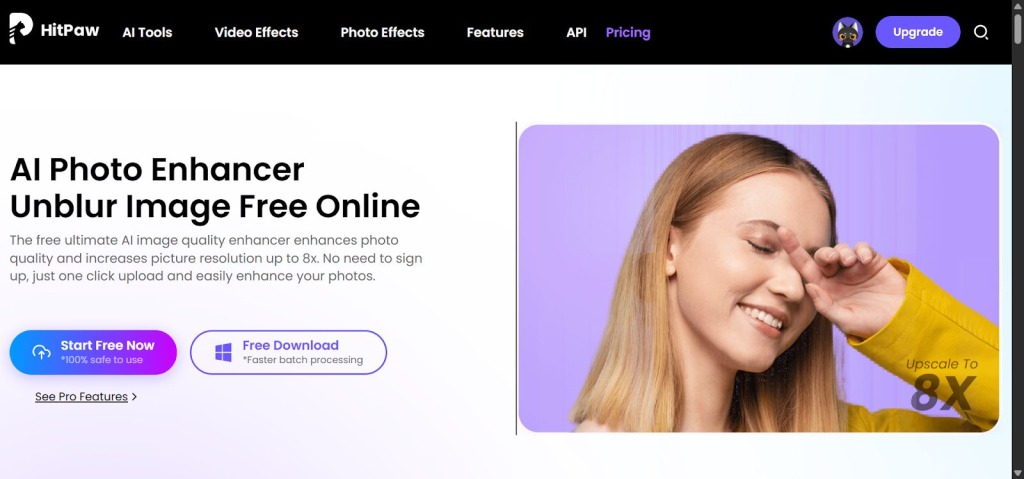
HitPaw Online Photo Enhancer offers an online tool designed to improve photo quality quickly and without complexity. It works directly in your browser, so there is nothing to download or install. This tool is built for users who want better image clarity.
As an AI photo quality enhancer, it uses AI to automatically sharpen images, reduce blur, and improve overall detail. The tool focuses on speed and ease, making it suitable for casual users, students, and creators who need fast results.
Key Features of HitPaw Online Photo Enhancer
Each feature is designed to work automatically, so users do not need editing knowledge or manual adjustments. These include:
1. AI-Powered Quality Enhancer
This feature analyzes your photo and identifies issues like low sharpness, weak details, and poor clarity. Rather than applying generic filters, the AI adjusts the image based on what it detects. The goal is to make photos look cleaner and more natural. This is especially useful for casual photos, screenshots, or images taken in less-than-ideal conditions.
2. Blur and Noise Reduction
Blur and digital noise are two of the most common reasons photos look low quality. HitPaw Online Photo Enhancer addresses both automatically. The AI reduces motion blur and soft focus while also cleaning up grainy areas caused by low light or compression. As a result, images look smoother without removing important details.
3. Upscaling up to 8K Resolution
The tool also supports image upscaling up to 8K resolution. This means smaller or low-resolution images can be enlarged while keeping edges and details intact. The AI fills in missing information instead of stretching pixels, which helps avoid distortion.
4. Multiple AI Models
This online photo enhancer includes multiple AI models designed for different types of images. Some models work better for portraits, while others are optimized for general photos or older images. It allows users to choose the most suitable enhancement approach based on the photo type.
How to Upscale Images Into 8K Resolution
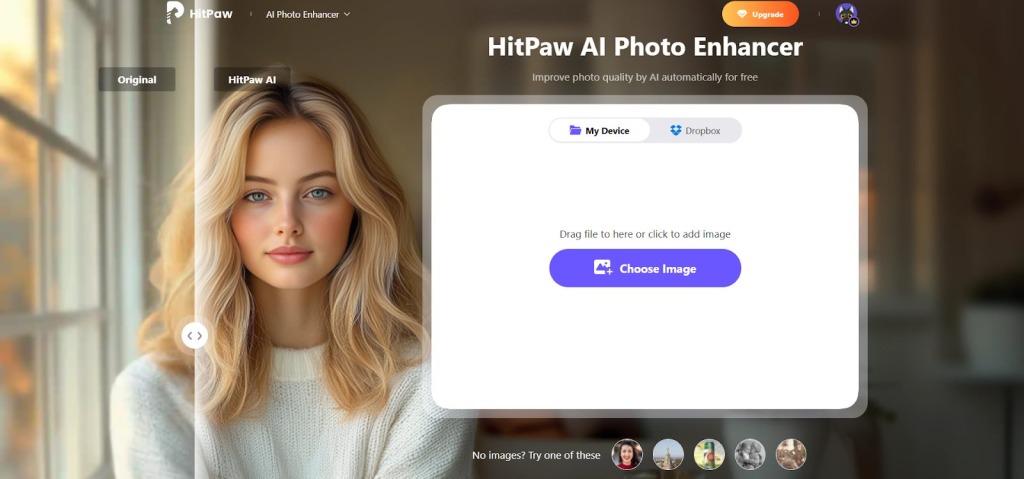
Step 1: Start by opening our online photo enhancer in your browser. Click the upload button and select the image you want to improve. The tool supports common formats like JPG and PNG.
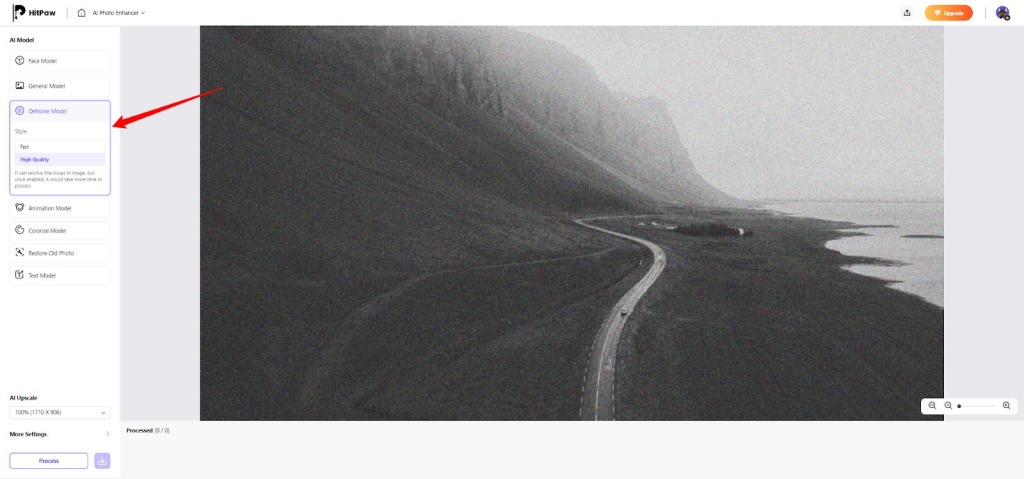
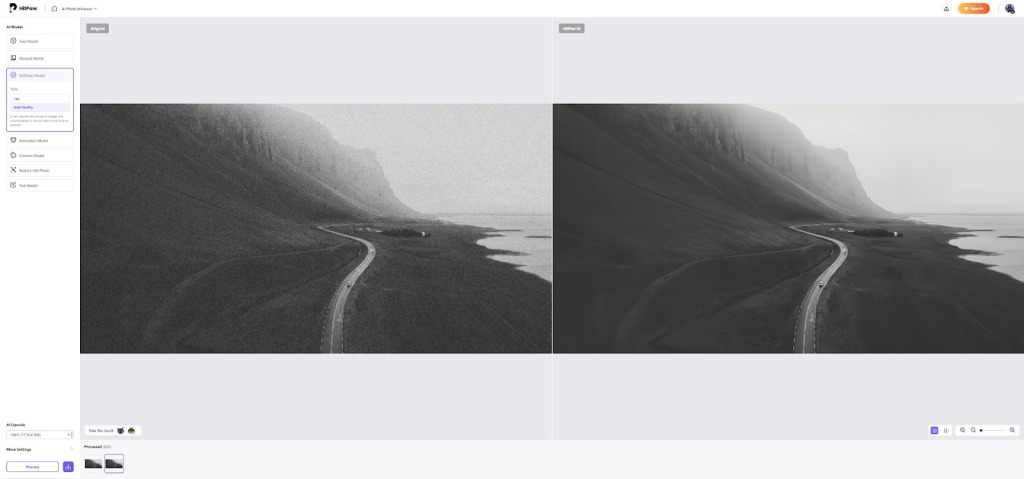
Step 2: After uploading, select the AI model that best fits your image. For instance, portraits and general photos use different models. In our example, we’ll be using the Denoise Model to reduce noise from an image.
Step 3: Click the “Process” button to let the AI process the photo. In a few seconds, you can compare the original image with the upscaled version. Simply download the image once you are satisfied.
What Types of Photos Can You Enhance?
Most images can benefit from an AI photo quality enhancer like ours. These work for a variety of images, which include:
- Portraits: Portraits often suffer from soft focus, poor lighting, or lost facial details. The AI focuses on faces, improving sharpness around eyes, hair, and facial features.
- Nature Photos: For scenery and outdoor shots, the enhancer sharpens edges and improves overall clarity. Details like buildings, trees, and horizons become more defined.
- Low-Light Shots: Photos taken at night usually contain noise and blur. The tool reduces grain, improves contrast, and brings out hidden details.
- Old Photos: Old images and scanned prints often look faded or unclear. The AI helps restore clarity, improve edges, and make these photos easier to view.
- Catalog Images: Clear visuals matter for online posts and product listings. The tool helps make images look more professional.
Why Should Users Choose This Online Tool?
The majority of users are not looking for advanced editing controls. They want a fast, reliable way to improve photo quality with minimal effort. So, here are the main advantages users actually notice:
- Very Simple Workflow: Users can enhance photos without learning editing tools. That simplicity is a major reason people prefer it over traditional software.
- AI Does the Decision-Making: The tool automatically detects blur, noise, and low resolution. Users do not need to guess settings or adjust sliders.
- Online and Accessible: Since it works in a browser, users do not need powerful hardware or storage space. This makes it convenient for quick fixes.
- Visible Improvement: Many users appreciate that photos look clearer but still natural. The AI avoids extreme sharpening that can make images look fake.
- Free Entry Point: Being able to try the tool as a free option helps users test results before committing.
Are Browser-Based Photo Enhancers Better than Desktop Apps?
Both browser-based photo enhancers and desktop apps aim to improve image quality, but they serve different user needs. The main difference comes down to convenience, control, and system requirements.
Browser-based tools are built for speed and accessibility. They run directly in your web browser, which means there is no software to install and no device setup required. Moreover, AI processing is often handled on cloud servers, so users do not need a powerful computer to get good results.
In contrast, desktop apps offer more control and customization. They usually include advanced settings, manual adjustments, and offline processing. However, desktop software often requires stronger hardware and a learning curve.
So, if you’re looking for quick and easy improvements, browser-based tools are your best bet.
FAQs
1. Does an Online Photo Quality Enhancer Reduce Image Noise?
Yes, most online photo quality enhancers are designed to reduce image noise, especially the one caused by low light or compression. AI-based tools analyze the image and separate unwanted grain from real details. This is why AI enhancers often perform better than basic noise filters.
2. Do Free Photo Quality Enhancers Lower Image Quality?
Not necessarily. A free photo quality enhancer does not automatically mean lower quality. Many free tools use the same AI processing as the paid version but may limit resolution, exports, or advanced options. As long as the enhancement is done using proper AI models, the image quality can still improve.
3. Is AI Photo Quality Enhancer Better Than Manual Editing?
For most users, yes. An AI photo quality enhancer is faster and more practical than manual editing. Manual editing requires experience and time to adjust sharpness, noise, or clarity correctly. AI tools handle these decisions automatically by analyzing the image.
Summing Up
Not everyone wants to learn editing software or spend time adjusting settings. For most people, the smartest approach is to use a tool that is fast, simple, and reliable. AI-based enhancers work best when you want clear improvements without guesswork.
Although there are hundreds of online tools, choosing the right one can be a bit of a headache. But if you’re an everyday user, student, content creator, or anyone who wants better photos, HitPaw Online Photo Enhancer is your best bet.
This tool uses multiple trained AI models that detect missing details and then naturally rebuild the image. That’s why the results feel clean and realistic.
Last Updated: March 12, 2026