Quick Answer
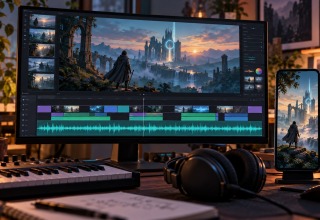
A game soundtrack can become more than background audio. Start with the strongest 20–40 seconds of the track, define one visual world that matches the game, build a full music-led master, and then create vertical versions for Shorts, TikTok and Reels. A music-first tool such as Freebeat can handle the song analysis and storyboard automatically, while a conventional editor is still useful if you already have gameplay or trailer footage.
Key Takeaways
- Choose the soundtrack moment that communicates the game fastest; the “best song” is not always the best marketing clip.
- Build one master visual direction before generating multiple platform versions.
- Use game art, character references and environment rules to keep AI-generated scenes coherent.
- Make the vertical version intentionally; do not rely on a centre crop of the 16:9 master.
- Treat the music video as a source asset for thumbnails, lore clips, store updates and community posts.
Why use the soundtrack before the game is fully ready?
An indie team may have a finished-sounding soundtrack while the build still has temporary UI, unfinished levels or animations it does not want in a public trailer. There is something to promote, but the footage is not ready.
Music can bridge that gap. A track can communicate speed, mood, scale, humour or threat without exposing unfinished gameplay. When the visual treatment is built around the world of the game, the result can sit somewhere between a music video, concept trailer and piece of animated key art.
Step 1: Pick the soundtrack section that sells the game
Do not automatically start at 0:00. Listen for the moment that explains the project fastest.
- Action game: the first heavy drop or combat motif.
- Horror game: a tense build with enough negative space for atmosphere.
- Cozy game: the melodic theme that immediately suggests the location or characters.
- RPG: a chorus or orchestral lift that feels like the world opening up.
- Rhythm game: the section where the beat pattern is instantly readable.
Step 2: Write the game-world visual brief
The video should look like it belongs to the same IP. Before generating anything, define the elements that cannot drift: character silhouette, weapon or prop design, palette, architecture, UI-free logo treatment, lighting, and the kinds of camera movement that fit the game.
You do not need a finished art bible. Start with a one-page creative brief and five reference images, then check the generated scenes against them. A brief alone cannot guarantee that characters and locations will stay consistent.
Step 3: Build the full music-led master
If the team is starting with the soundtrack rather than footage, Freebeat’s AI music video generator is a practical route because the workflow analyses the song and creates a storyboard around the track before the final video is assembled. That is useful when the music — not existing gameplay — needs to control the pacing.
The full master can be 16:9 and move more slowly than a social clip. Establish the location in the intro. Save the strongest environment or character reveal for the chorus. When the track drops into a quieter bridge, ease off the visual density rather than cutting at trailer speed throughout.
Step 4: Turn the chorus into a vertical launch clip
The 9:16 version should be designed, not cropped. A widescreen boss reveal may place the character too far from the centre of a phone screen. A sweeping landscape may lose the exact details that made the original shot work.
Reframe the visual around one readable subject. Put the game title on screen only after the hook earns attention. For a 20-second clip, the first one or two seconds need a stronger visual event than the YouTube master.
According to YouTube’s official Shorts guidance, square or vertical uploads of up to three minutes are classified as Shorts on standard channels. That is a format limit, not a reason to stretch a good 20-second idea.
Step 5: Use the intro as a lore clip
A slower opening can become a different piece of content. Add one line of in-world text, a location name, faction slogan, mission designation or transmission timestamp. The soundtrack then becomes a way to expand the fiction instead of simply promoting itself.
Step 6: Pull stills and loops out of the same visual world
One well-directed music video should leave the team with more than one MP4. Strong frames can become a soundtrack thumbnail, Steam news image, Discord announcement, playlist artwork or social post. A repeated environment can become a looping background for a developer update.
This is why coherence matters. If each generated scene looks like a different game, none of those assets can be reused convincingly.
For a Steam update, export a separate cover image rather than assuming a video still fits every placement. Valve’s Steamworks event-image guidance specifies an 800 × 450-pixel cover and calls for clear, recognisable artwork.
Step 7: Keep gameplay and AI visuals clearly separated when necessary
If a promotional music video contains generated concept visuals that are not actual gameplay, do not frame them in a way that could reasonably be mistaken for gameplay footage. Use titles, descriptions or edit structure to make the distinction clear. That protects audience trust and lets the team use the more imaginative visual language without overpromising the final product.
Where a conventional editor still wins
If the studio already has strong gameplay footage, a traditional editor may be the better centre of the workflow. Import the soundtrack, mark beats and sections, cut the footage manually, and use AI only for missing transitions, lore inserts or visual experiments. Music-first generation is most valuable when the track exists before the usable footage does.
Frequently Asked Questions
How long should a game soundtrack promo be?
A full YouTube music video can use the complete track, but social promotion usually benefits from a shorter excerpt built around the most memorable musical moment. A 15–40 second version is easier to adapt across short-form platforms.
Can I turn a Suno-generated game theme into a video?
Yes. If the track was created in Suno, a direct Suno-to-video workflow can reduce the handoff between the finished song and the visual project. The same game-world art direction rules still apply. Check that you have permission to use the track and reference artwork in a commercial campaign before exporting.
Should the music video show gameplay?
Only if the gameplay is ready and actually strengthens the piece. A soundtrack-led visual can work as world-building before polished gameplay footage exists, provided generated concept visuals are not misrepresented as game capture.
Final Thoughts
A game soundtrack is already a marketing asset; most teams simply wait too long to use it. The strongest workflow treats the track as the timing layer for a visual campaign, then turns one coherent master into vertical clips, lore assets and stills. For an indie studio with limited footage, that can keep the launch story moving while the build catches up.
Last Updated: October 12, 2026
Last Updated: October 22, 2026