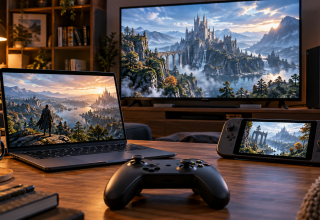
We often hear claims about how cloud gaming and subscription services are going to kill the traditional video game console. But these claims miss the point of what all of the new options really show. Dedicated hardware continues to serve as the foundation upon which most of our gaming experiences take place. However, players now have many other methods to get to a game — either by purchasing and downloading it directly onto their system; accessing a subscription catalog; playing via a cloud streaming service; or simply continuing on a another supported device.
The smarter choice is not to declare one access model the winner. It is to decide which mix fits the games you play, the screens you use, and the degree of ownership you want. An entry-level multiplayer option like a Game Pass Core subscription can be part of that mix, but it does not turn every game into subscription access or replace a purchased license.
Core is the older name for the entry-level plan Microsoft now lists as Game Pass Essential. Retailers may use both names, so check the region, activation rules, and benefits of the plan a code redeems before buying it.
Hardware remains useful, but access can travel
Console hardware remains valuable for supporting local play, downloaded content and physical media formats. Nintendo Switch 2 provides an example. The Switch 2 supports regular game cards, game-key cards that require a full download, and selected cloud versions where available. Compatibility and availability vary based on the individual game and regional availability. Cloud versions are streamed from a server and therefore require a stable high-speed internet connection to run effectively, thus remaining complementary to hardware rather than replacement.
Xbox Play Anywhere offers additional flexibility for eligible digital titles. Players can use the same purchase across multiple platforms including Xbox consoles, Windows PCs, and supported handhelds at no additional cost. In addition, supported save data, add-ons, achievements, and progress can be carried across supported platforms. This allows owners of the title to have portability across various devices, but does not imply that every Xbox title is accessible anywhere.
Subscription services provide another alternative. These can provide subscribers access to a library of games, online multiplayer capabilities, cloud-based functionality or general membership perks during their subscription. While there is value in this type of arrangement for players seeking continuous access to games, it represents a separate offering from owning a digital license for a specific game or retaining a physical copy. A digitally purchased license is still subject to platform and game terms.
The right purchase starts with the access plan
Players can purchase digital games through official platform stores or digital marketplaces. Eneba is one example, offering game keys and gift cards. Region labels help buyers identify products suited to their account region, but buyers still need to check the activation rules on the individual listing.
The difference between remote play and cloud gaming also plays a role in determining the selection process. Xbox Remote Play uses an installed version of the game on the user’s own console as the host and streams play to compatible phones, tablets, PCs, smart TVs, supported browsers, and selected Meta Quest headsets. On the other hand, Xbox Cloud Gaming utilizes remote servers to run selected titles rather than utilizing local hardware to run them. Accessing titles via cloud gaming depends on supported controls, a suitable internet connection, and availability by plan, region, platform, and time.
PlayStation Plus Premium expands this concept further by allowing users to stream select games on their PS5 and PS4 consoles, PC and PlayStation Portal via cloud streaming in supported uses. Sony’s PlayStation Plus guide indicates that a minimum Internet speed of 5 Mbps is required to engage in cloud streaming, with 15 Mbps listed for 1080p streaming. Users should consult their desired screen’s support page to determine if their screen meets any additional requirements, since requirements may vary per device. These details bring attention back to where it should be — connection quality is just as much an important consideration as which screen the user prefers to use, and whether they want to retain membership.
Ultimately, a flexible setup could consist of a single console for installed titles, a supported portable device for Play Anywhere enabled titles or cloud streaming for certain sessions. None of the above alternatives necessarily represent all purchases. Digital marketplaces like Eneba offer deals on digital products, which fits an approach built around choosing the right access method for each game.
Last Updated: October 7, 2026